To record your existing watchlist items:
- Open the Watchlist tab.
- Select Items.
- Review the watchlist tree and open each item individually.
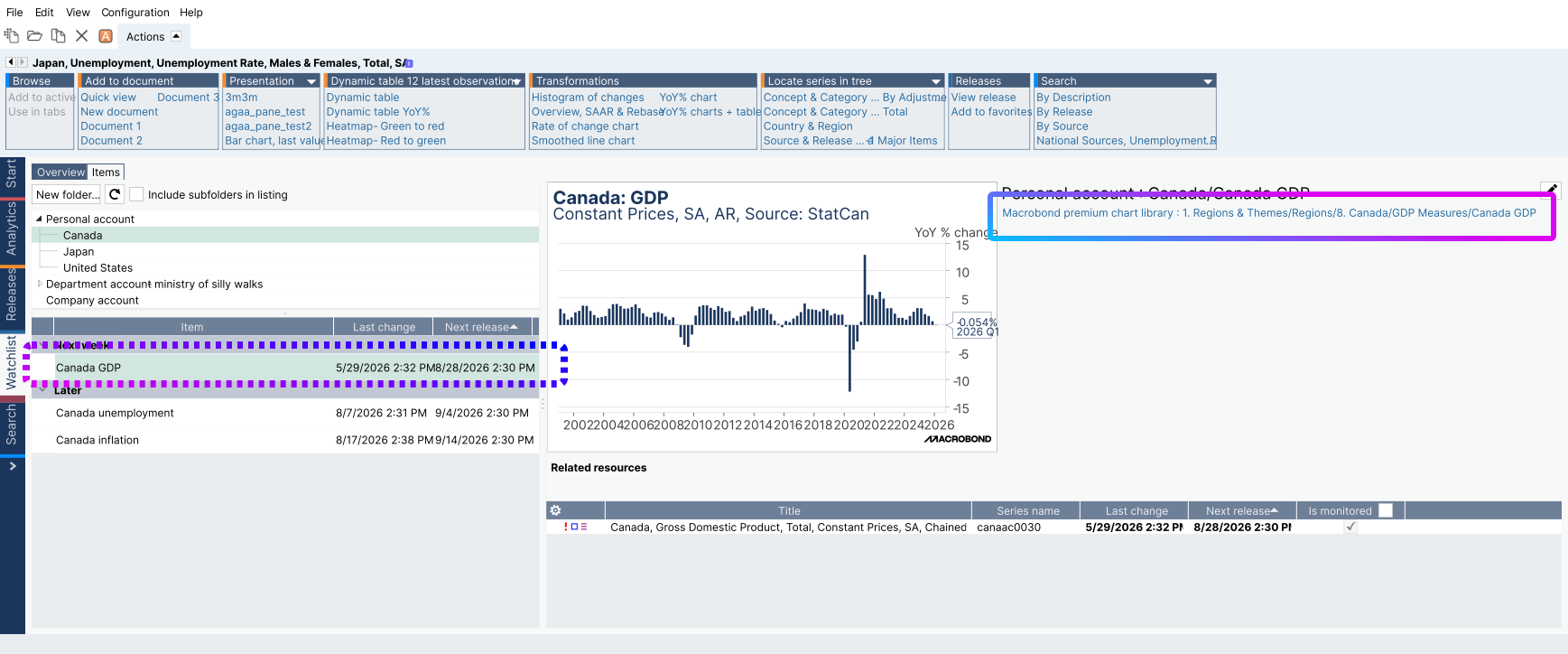
For each watchlist item:
- Capture a screenshot of the item details.
- Record the location of the original chart associated with the watchlist item.
- Save the screenshots in a location that can be accessed after switching accounts.
Important: The location of the original chart is the key information required when recreating watchlist items in the destination account. Make sure this information is visible in your screenshots.
After signing in to the destination account:
- Locate the original charts using the information saved from the source account.
- Recreate the watchlist items based on the recorded settings.
- Repeat the process for all watchlist entries that need to be migrated.
Tip: When migrating multiple watchlist items, organize the screenshots in the same order as they appear in the watchlist tree. This makes it easier to verify that all items have been recreated successfully.