To record your existing search filters:
- Open the Analytics tab.
- Select the Search sub-tab.
- Click Load to display the available saved search filters.
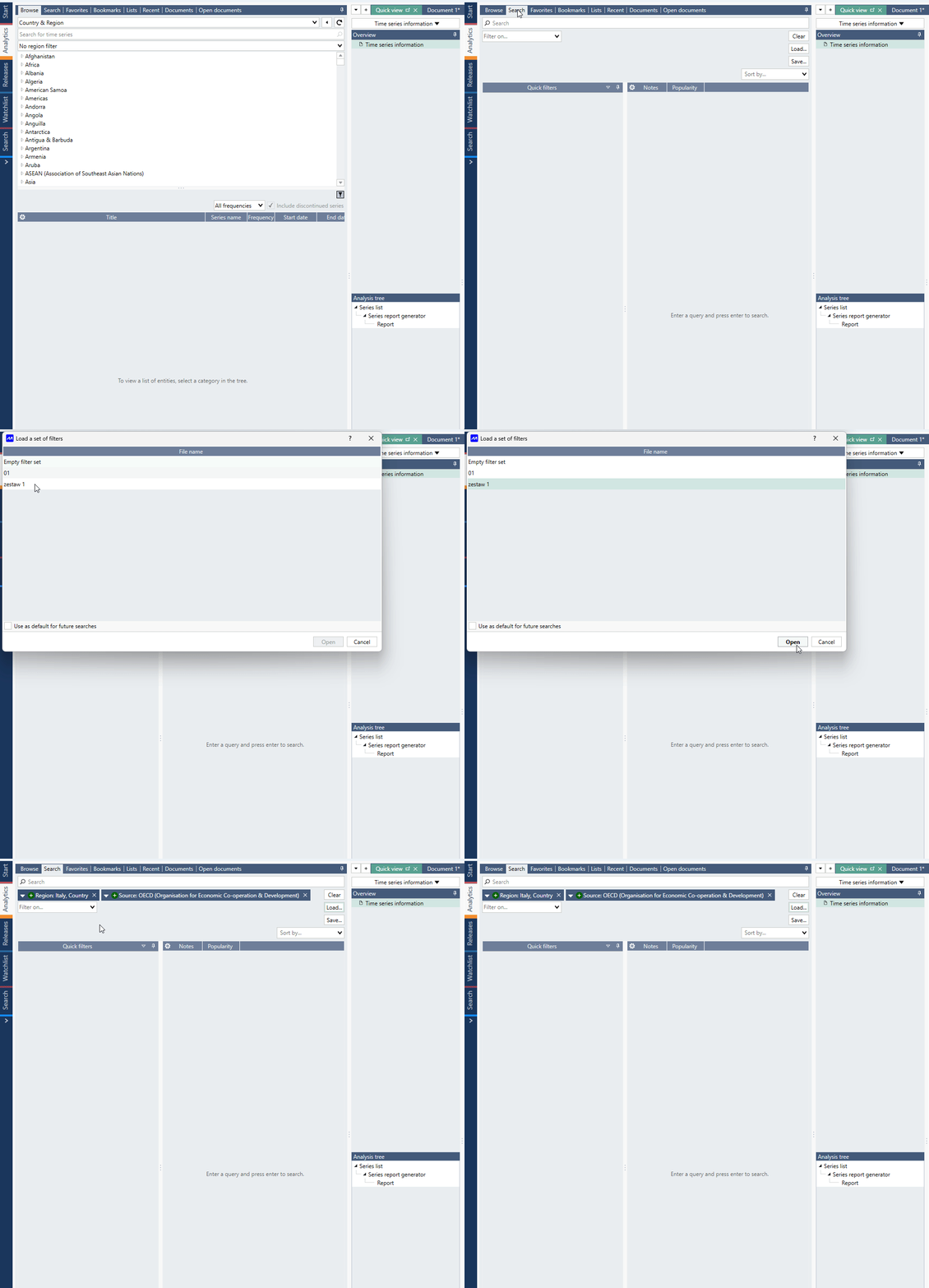
For each filter:
- Open the filter.
- Review all configured criteria.
- Capture a screenshot of the filter settings for reference.
- Expand any collapsed sections or drop-down controls to ensure all filter settings are visible before taking the screenshot.
After signing in to the destination account:
- Create a new search filter.
- Re-enter the settings using the screenshots from the source account.
- Repeat the process for all search filters that need to be migrated.
Important: Some search filters contain settings that are only visible after expanding additional options. Make sure all filter sections are expanded before capturing screenshots to avoid missing any criteria during recreation.