- Open the Analytics tab and select the Favorites sub-tab.
- Locate the favorite you want to migrate.
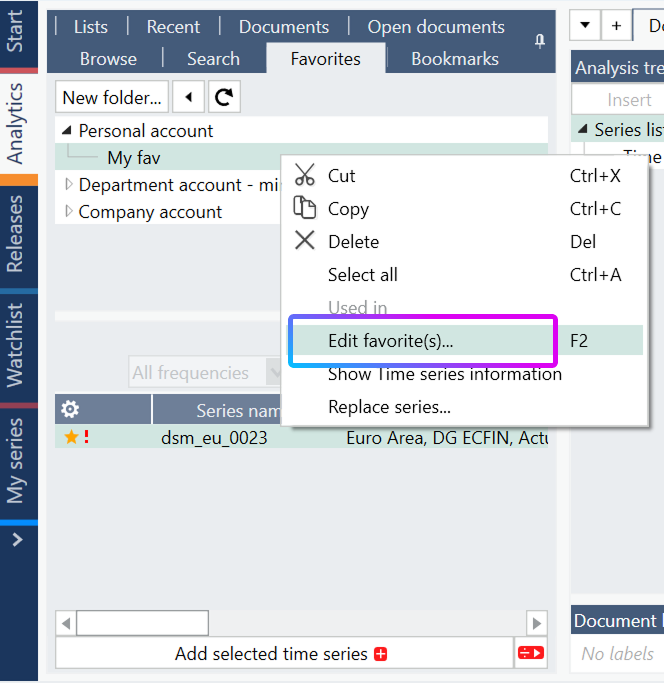
- Right-click the series and select Edit favorite(s).
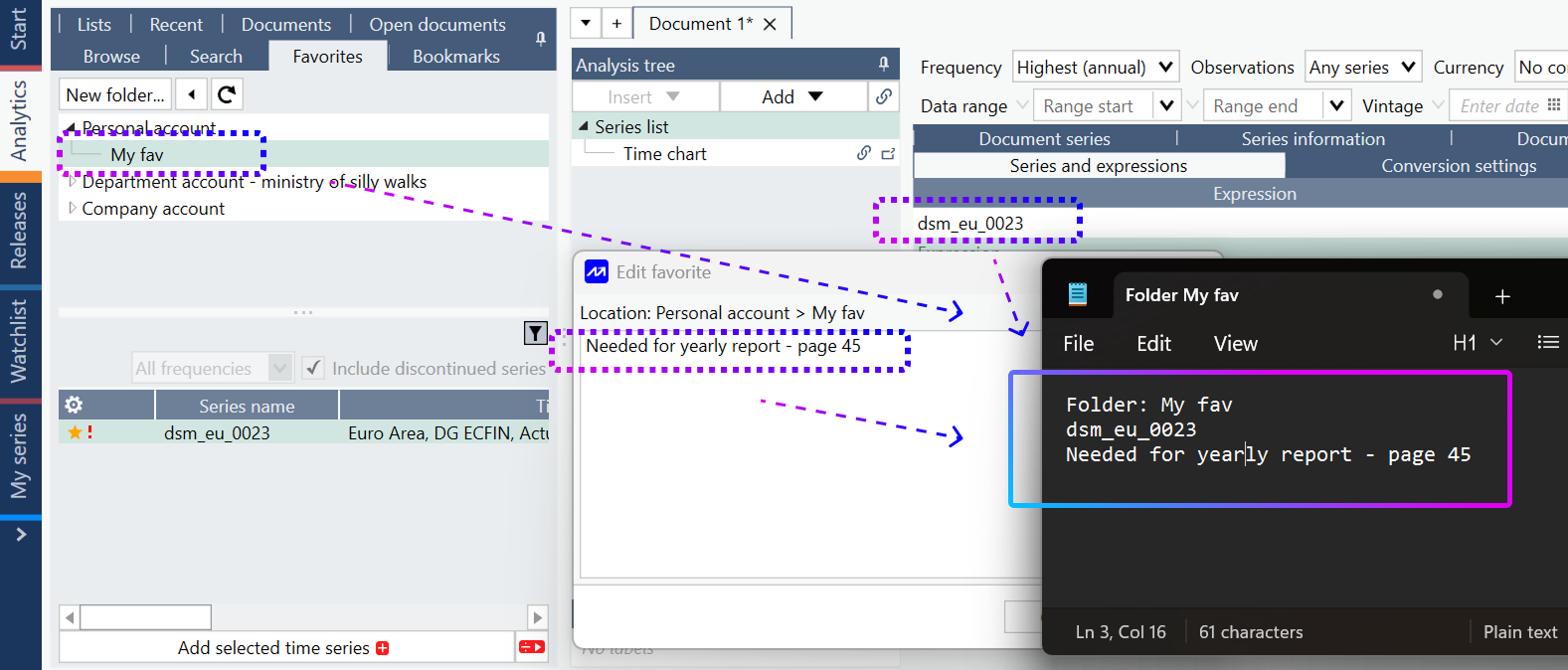
Record the information associated with the favorite in a text file or another temporary location. Save the following information:
- Series code
- File location
- Comment
After signing in to the destination account:
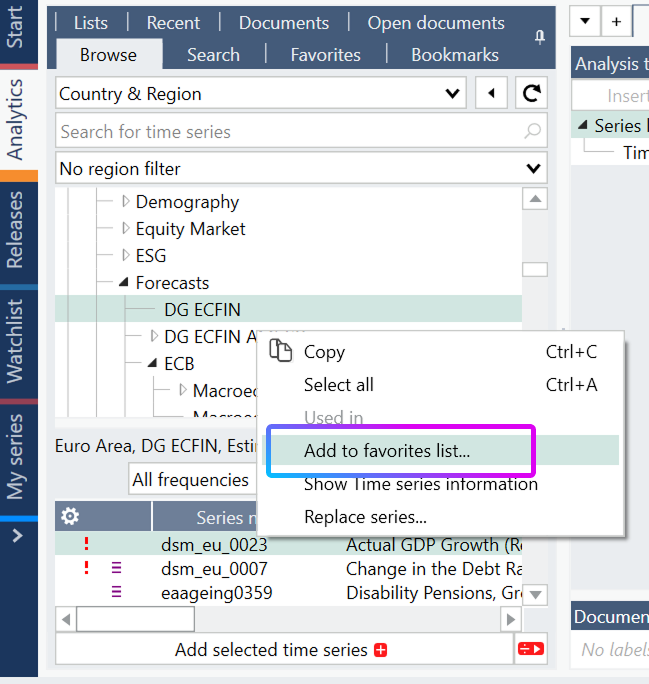
- Locate the original series in the data tree.
- Right-click the series.
- Select Add to favorites list.
If required, recreate any comments or organizational structure using the information saved from the original account.
Tip: When migrating multiple favorites, keep a list of the series codes, comments, and locations from the source account. This makes it easier to verify that all favorites have been recreated correctly.