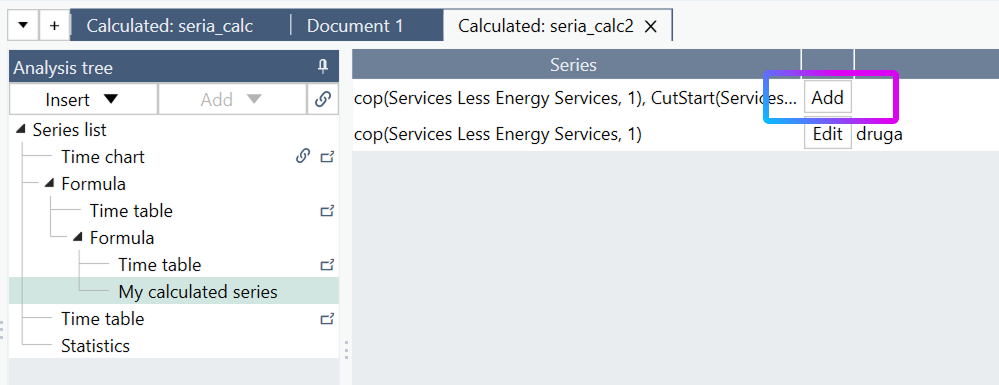
- Identify the series
- Duplicate the source document
- Save the calculation as an in-house series
- Create additional series
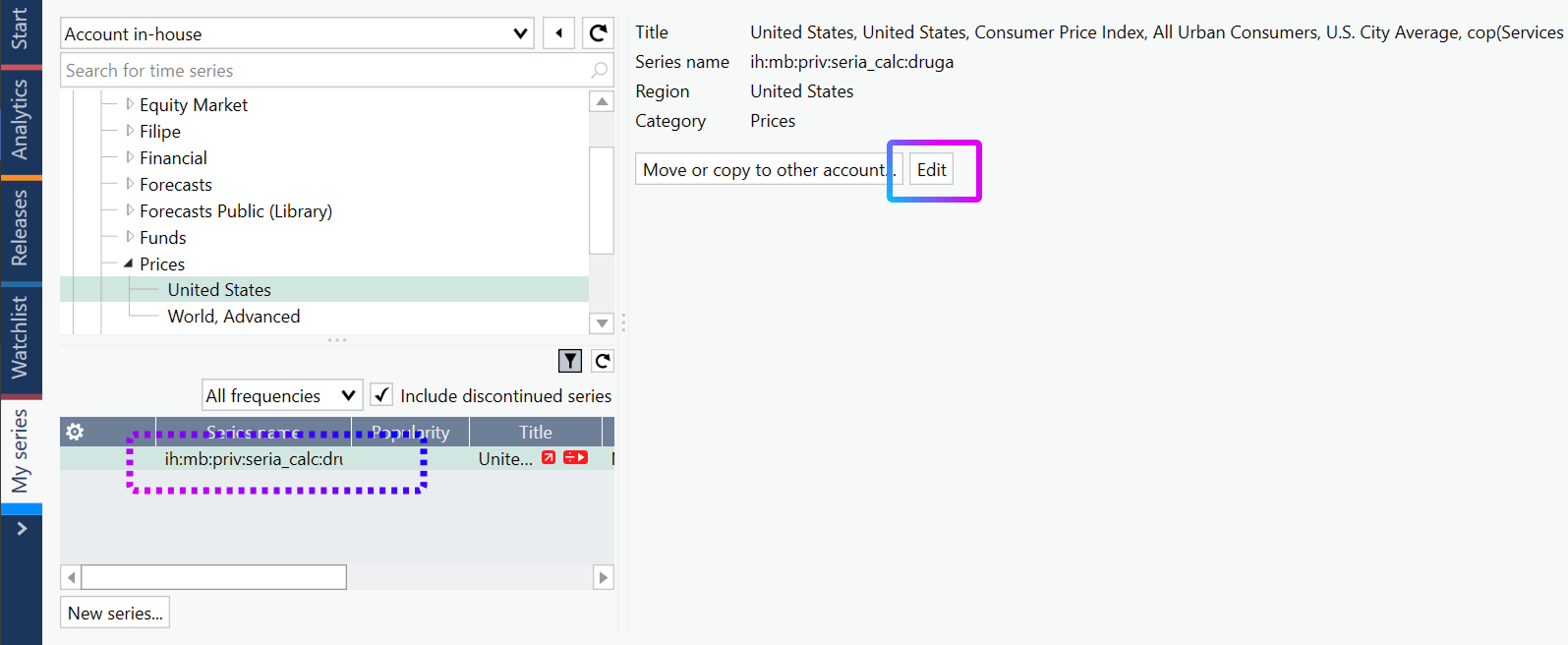
Identify the series
Open the My series tab. Locate the calculated in-house series you want to migrate. Select the series and click Edit in the details pane.
Navigate to Analysis tree > My calculated series and click Edit next to the calculated series. Copy the series information to a temporary location, such as Notepad.
Use the Documents tab to identify the document associated with the series.
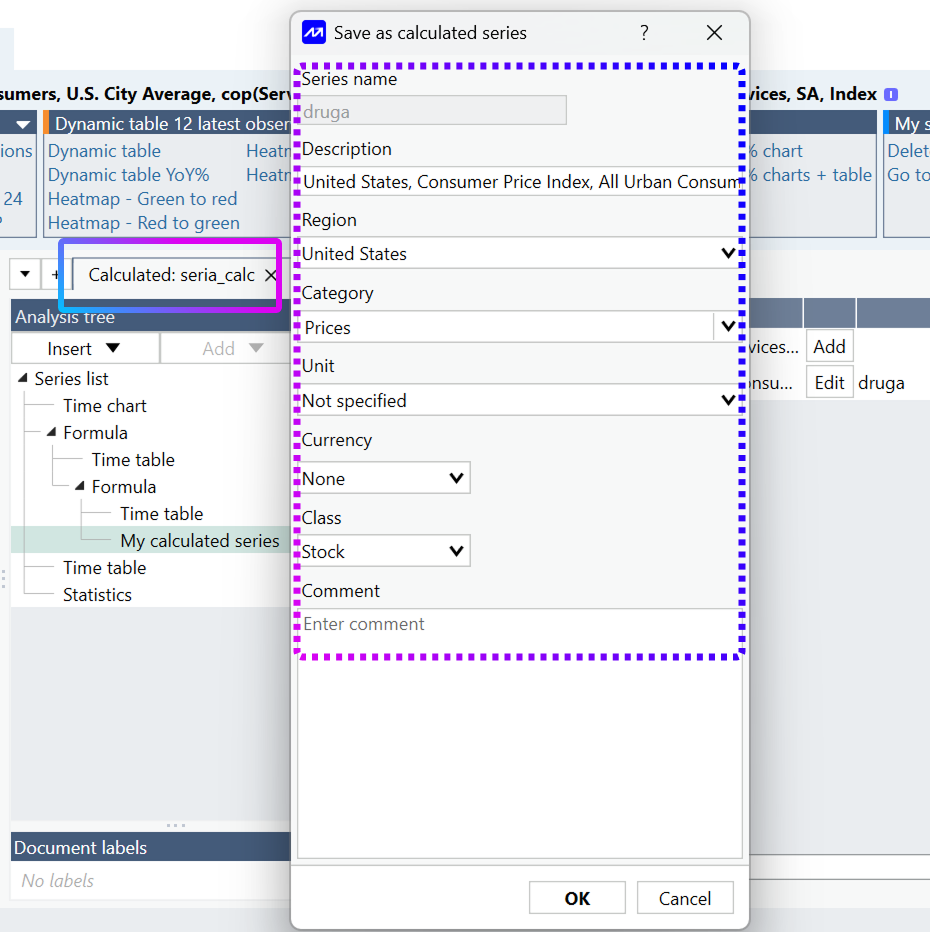
Record the following information:
- Document name
- Series name
- Description
- Region
- Category
- Unit
- Currency
- Class
- Comment
Note, if the document contains multiple calculated series, repeat this process for each series and save all details under the same document name. This information will be needed when recreating the series in the new account.
Duplicate the source document
- Create a duplicate of the source document.
- Close the original document.
- Keep the duplicate open.
- Sign in to the account where the series will be migrated.
Using a duplicate protects the original document and allows you to recreate the series in the destination account.
Save the calculation as an in-house series
In the duplicated document:
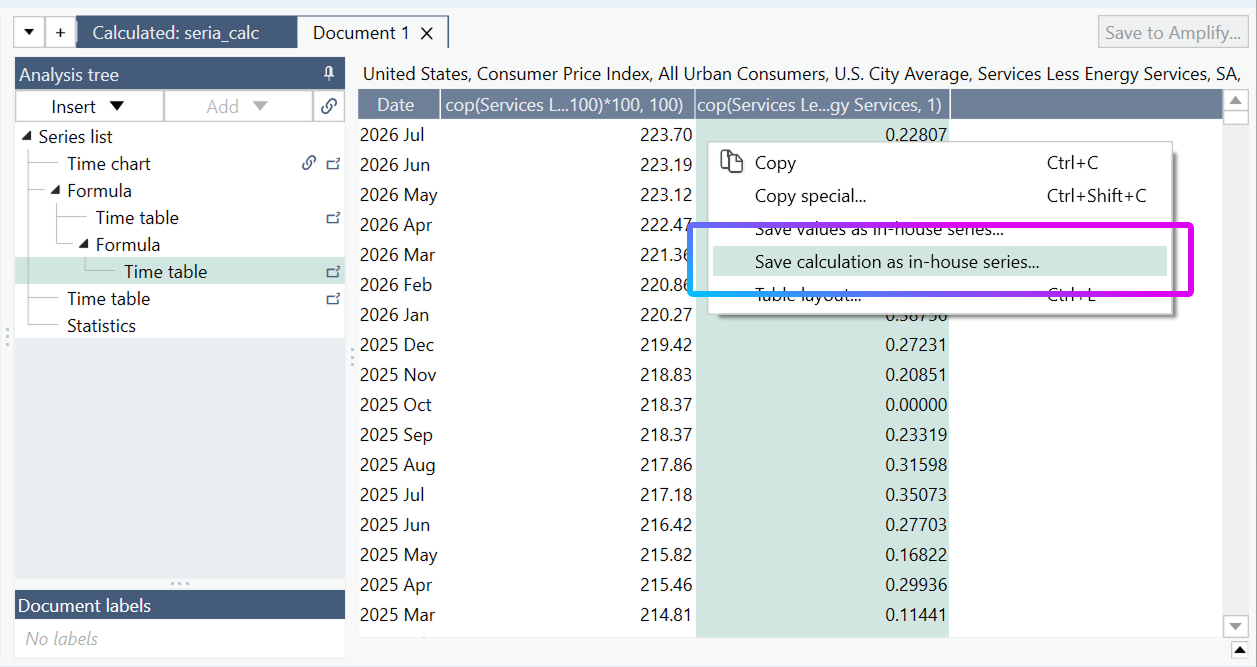
- Right-click the calculated output.
- Select Save calculation as in-house series.
- Complete the series details as required.
- Save the first calculated series.
Create additional series
If the source document contains multiple calculated series:
- Open the calculated in-house document created when the first series was saved.
- Use Add to create the remaining series from the same source document.
- Repeat until all calculated series have been recreated.
Important: Create all additional series from the same calculated in-house document. This ensures that the series remain linked to a single source document and can be maintained consistently in the future.