To identify the releases saved in the source account:
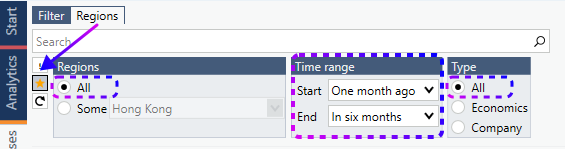
- Open the Releases tab.
- Select the Regions sub-tab.
- Enable the star filter to display your favorited releases.
- Set the Time range to the largest available value.
- In both the Regions and Type panels, ensure All is selected.
For each release:
- Select the release.
- In the Actions ribbon, go to Search > By Release.
- From the search results, select a series that belongs to the release.
- Save the series code in a text file or another temporary location.
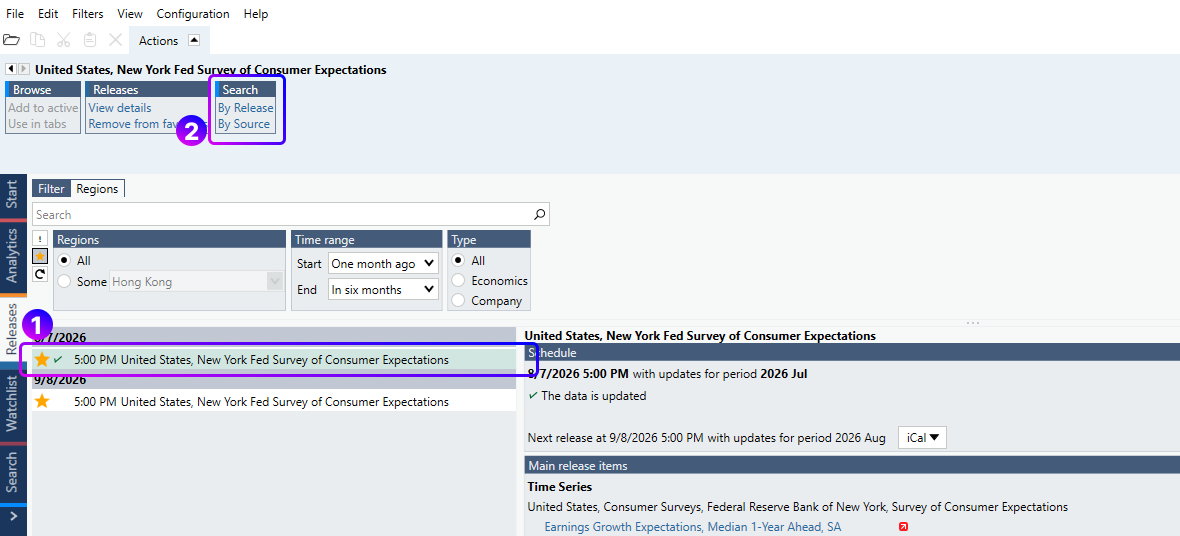
Record at least one series code for every release you want to recreate in the destination account.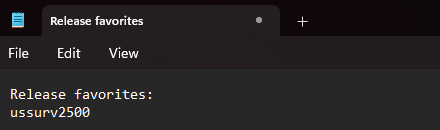
After signing in to the destination account:
- Locate the saved series code.
- Open the corresponding release using that series.
- Add the release to your favorites.
- Repeat the process for each release that was favorited in the source account.
Tip: Keep all release-related series codes in a single document during the migration process. This makes it easier to verify that all releases have been recreated successfully in the destination account.