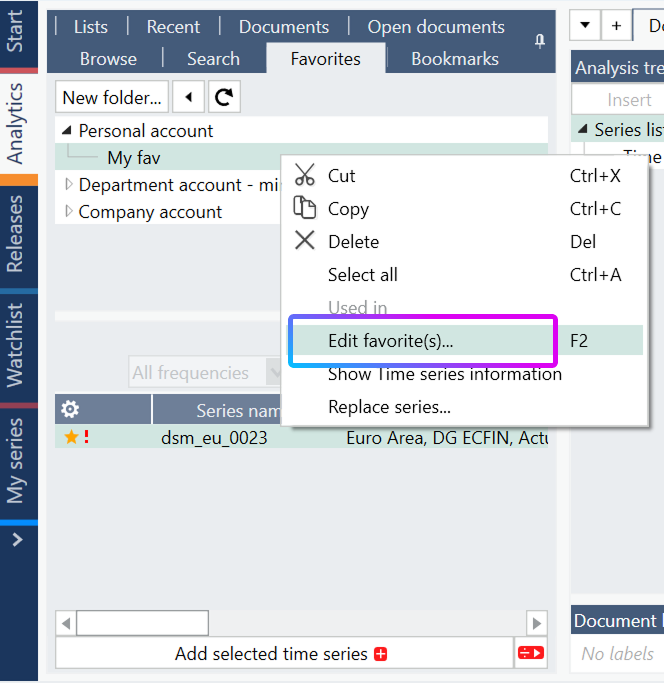
In Analytics tab open the Favorites sub-tab. Right-click the series you want to migrate, then select Edit favorite(s).
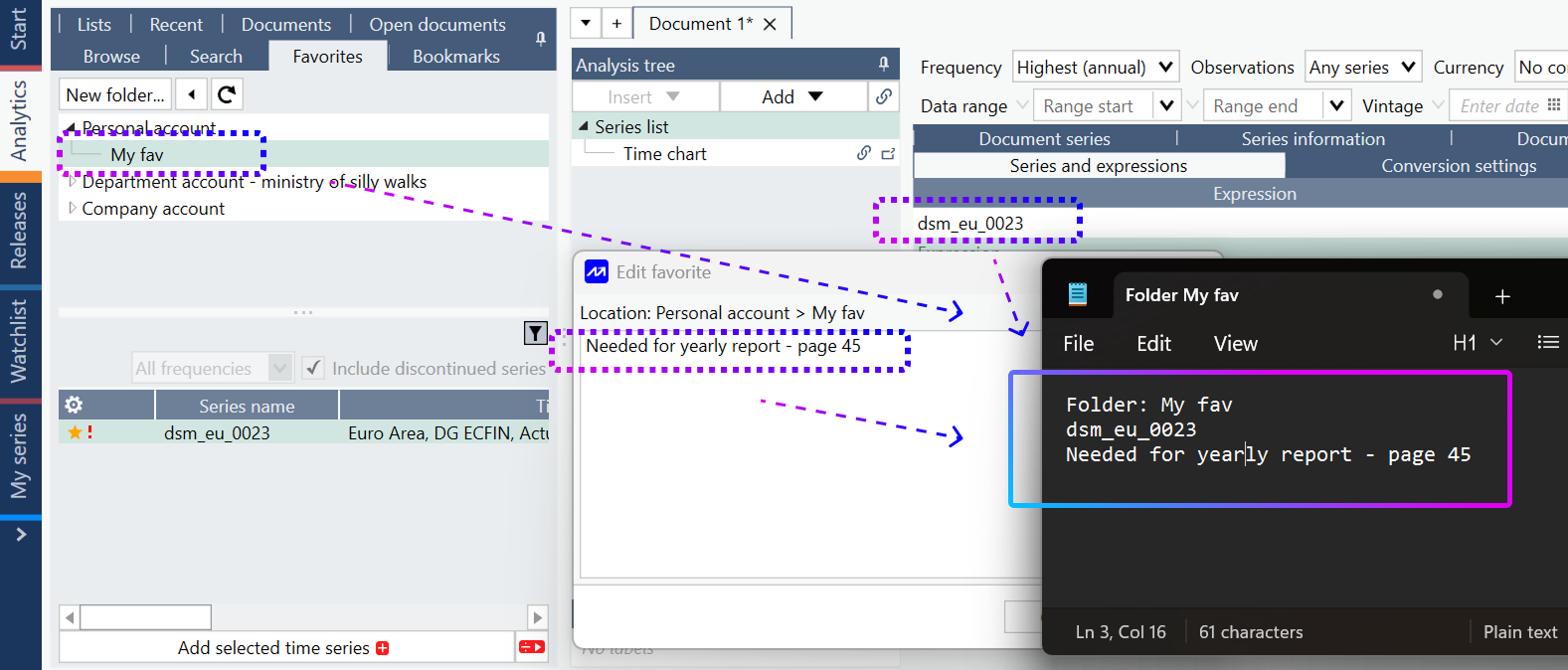
Add the series to a document so that you can see its series code.
Copy the information from the Edit favorite window into Notepad. Include the series code, file location, and comment.
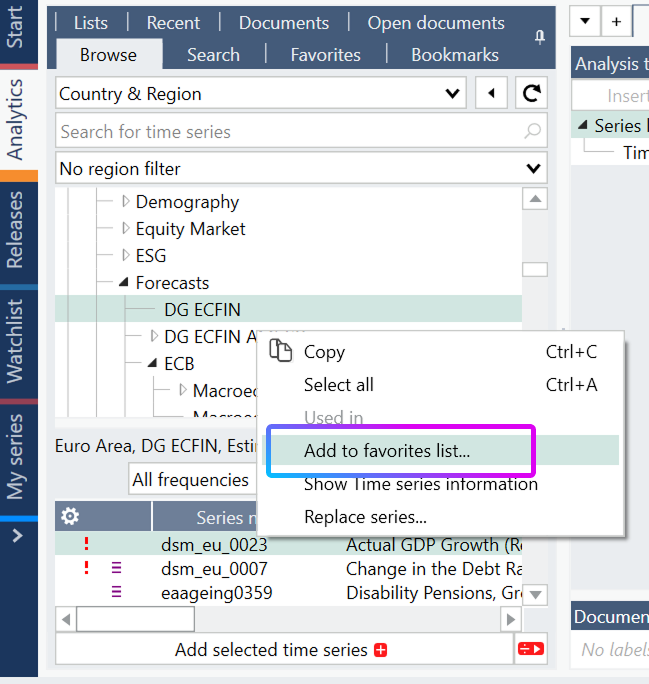
Sign in to your new account, find the original series in the data tree, right-click it, and select Add to favorites list.