Currency series managed by Macrobond
Currency-series managed by us can be found under Concept & Category > Interest & Exchange Rates > National Sources > FX Rates.
Daily frequency and snapshot time
The highest frequency available for these exchange rates is Daily. Observations represent a snapshot of real-time interbank currency exchange rates taken at 16:00 GMT/BST. The rates are contributed by leading market-making institutions worldwide and provide a representative daily market close snapshot.
Time Series Information for that series.
Currency pair notation
Macrobond does not use the conventional currency trading notation for exchange rates. This is intentional and reflects a naming convention designed to be consistent and intuitive across all series. This follows the same logic as other unit-based expressions, such as USD/kg or SEK/MWh, where the value represents the number of units in the numerator required for one unit of the denominator.
Currency pairs should be interpreted as the first currency per one unit of the second currency.
For example these two series are mathematical inverses of each other and therefore mirror one another:
series: eur
EUR/USD = EUR per USD
series: usdeur
USD/EUR = USD per EUR
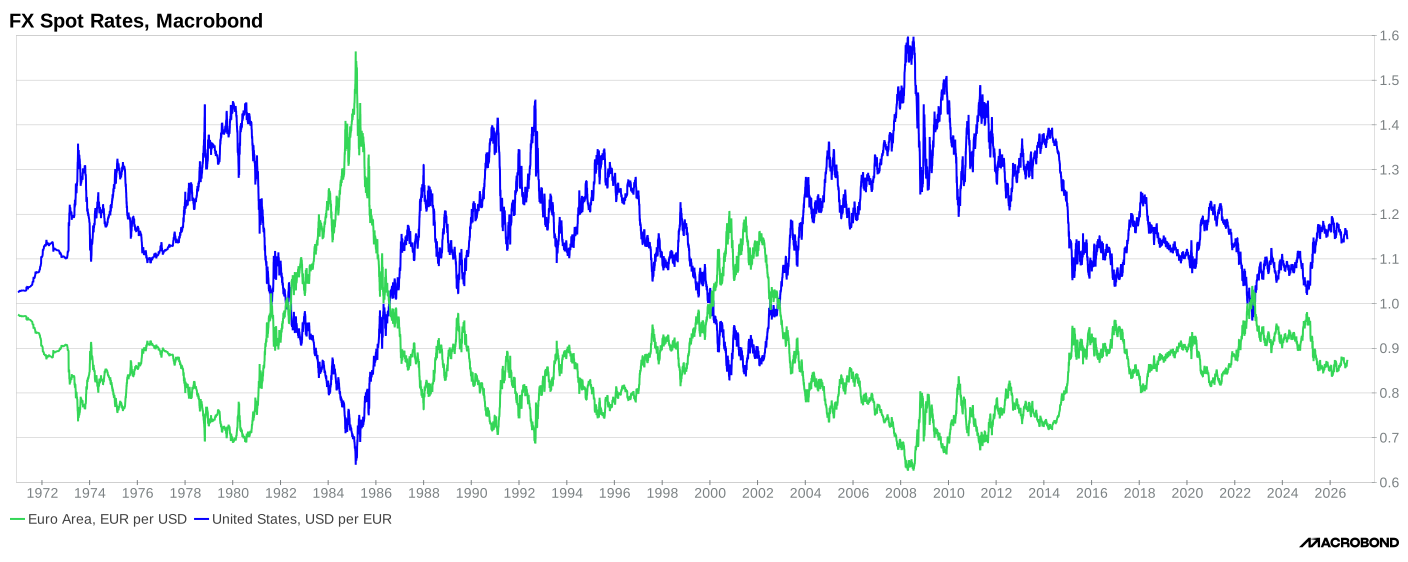
List of currencies
See full list of abbreviations used in Macrobond's databases here.
What does "Local Currency" mean?
Macrobond always aims to align external-source currency attributes with the official currency of the respective country or market whenever possible. If a series contains the term "Local Currency" in its description, this typically indicates that the source reports the data in a source-defined currency basket or composite currency measure rather than in a specific national currency. In such cases, there is no single currency that can be reliably assigned to the series.
Changing currency in a document
To convert one or more series into a different currency, use Macrobond's built-in Currency Conversion feature in the Series List.
How to set a common currency in a document?
Click on the Series list and select your desired currency from the Currency drop-down list.
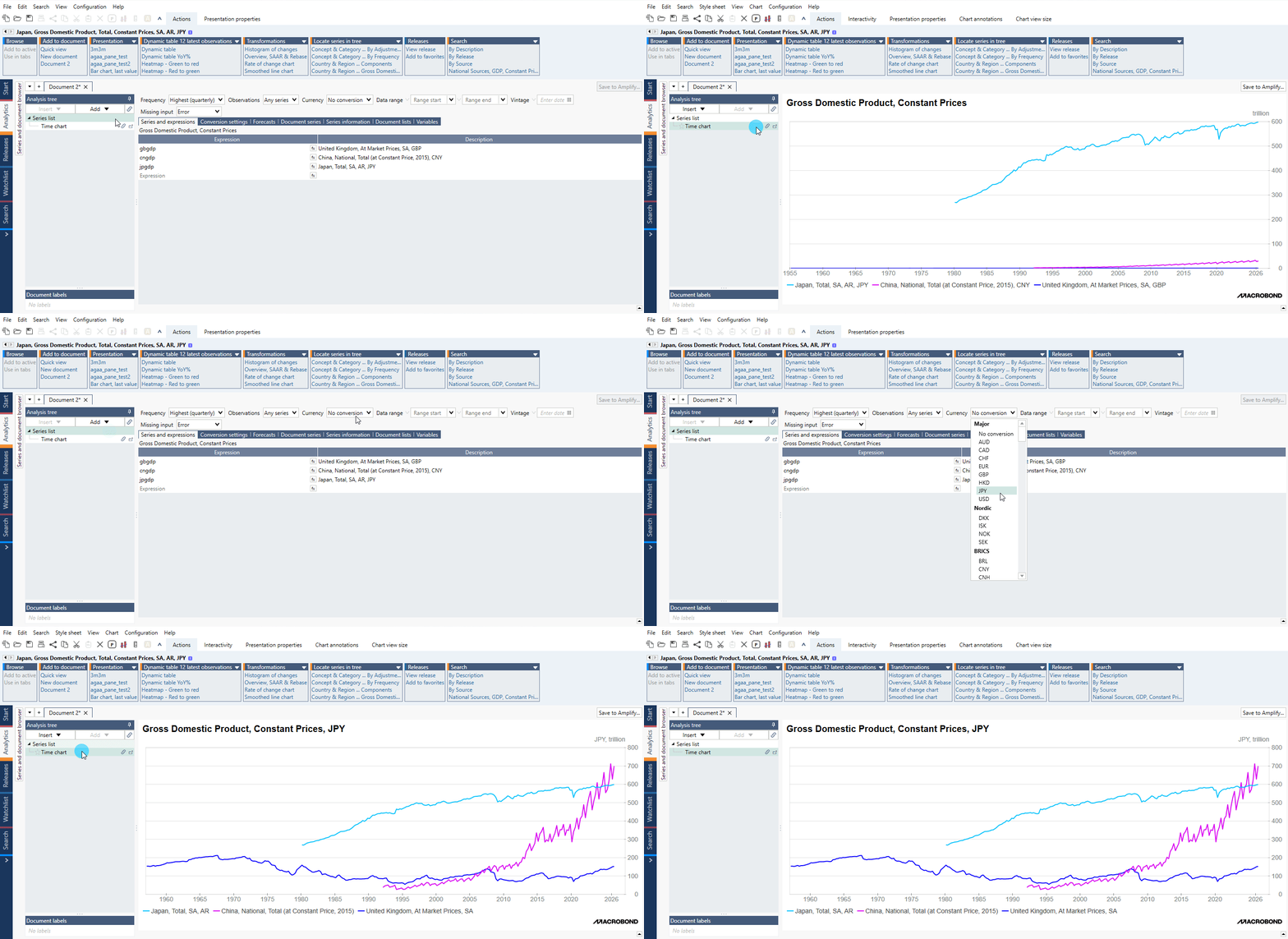
Currency conversion methods
All series managed by Macrobond have a metadata which guide application's Automatic setting. You can overwrite that by selecting other method under Conversion settings tab.
This guide walks you through through the process, and helps you understand methods used in the calculation.