Overview
This is a great way to organize large sets of series. You create lists in documents in the tab called Document lists (previously Lists) in the Series list. Lists are great to work with in Cross sampling or Formula analysis. For example, in the latter analysis you can use just one formula to calculate on each of the series from list. Since version 1.33 it is possible to use them as Interactive variables.
Types of lists
There are three types of lists:
- List by region - series are organized by region.
- Plain list - this type is not restricted to have just one series per region. You can have any mix of series, but you cannot as easily combine lists.
- List of regions - it consists of unique regions (not time series). It can be used as a search filter or as a parent for creating lists by region with common set of regions. It cannot be used on its own in analyses. This type of list is available only in My lists and Search.
You decide the type when you create the list by pressing either the 'Add new by region list' or 'Add new plain list'. List of regions can be created only on My list tab.
List by region
All series in a List by region are associated with a region. The region is determined by the selection in the Region column and will be populated automatically when a series is added provided that it has an associated region.
There can only be one series per region, and you cannot have two series where one is associated with a sub-region of the other. Thus, you cannot have a series for U.S. and one for California in the same list.
The benefit of this type of list is:
- When combining lists, in a formula expression or in the Cross sampling analysis, the regions can be used to match the series in one list with series in another list. Lists by region can be combined even if they do not contain exactly the same set of regions.
- The descriptions of the items in the list will be the name of the region, which is known to be unique, and you get short and distinct labels.
- You get help avoiding mistakes of adding duplicates or the wrong series.
- Concepts which connects series in Concept & Category data-tree view can be used to create Region list and its child list.
by Regions' Child list
This type of list can be combined with all other lists of this type.
Using Concept on by Region list
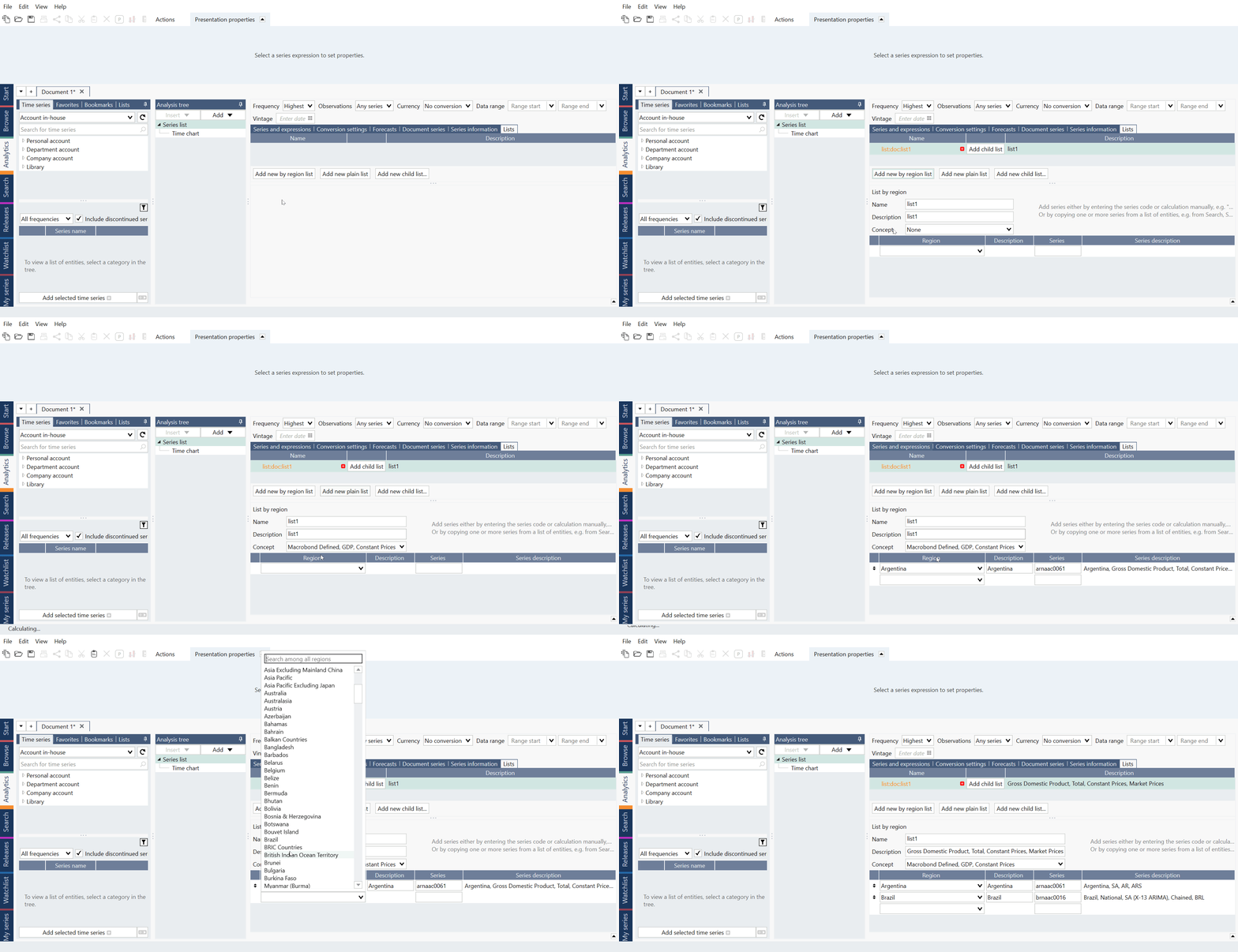
Use 'Add new by region list' and select Concept. After that start selecting countries/regions in Region column. Macrobond will display the right series based on the Concept group.
Child list
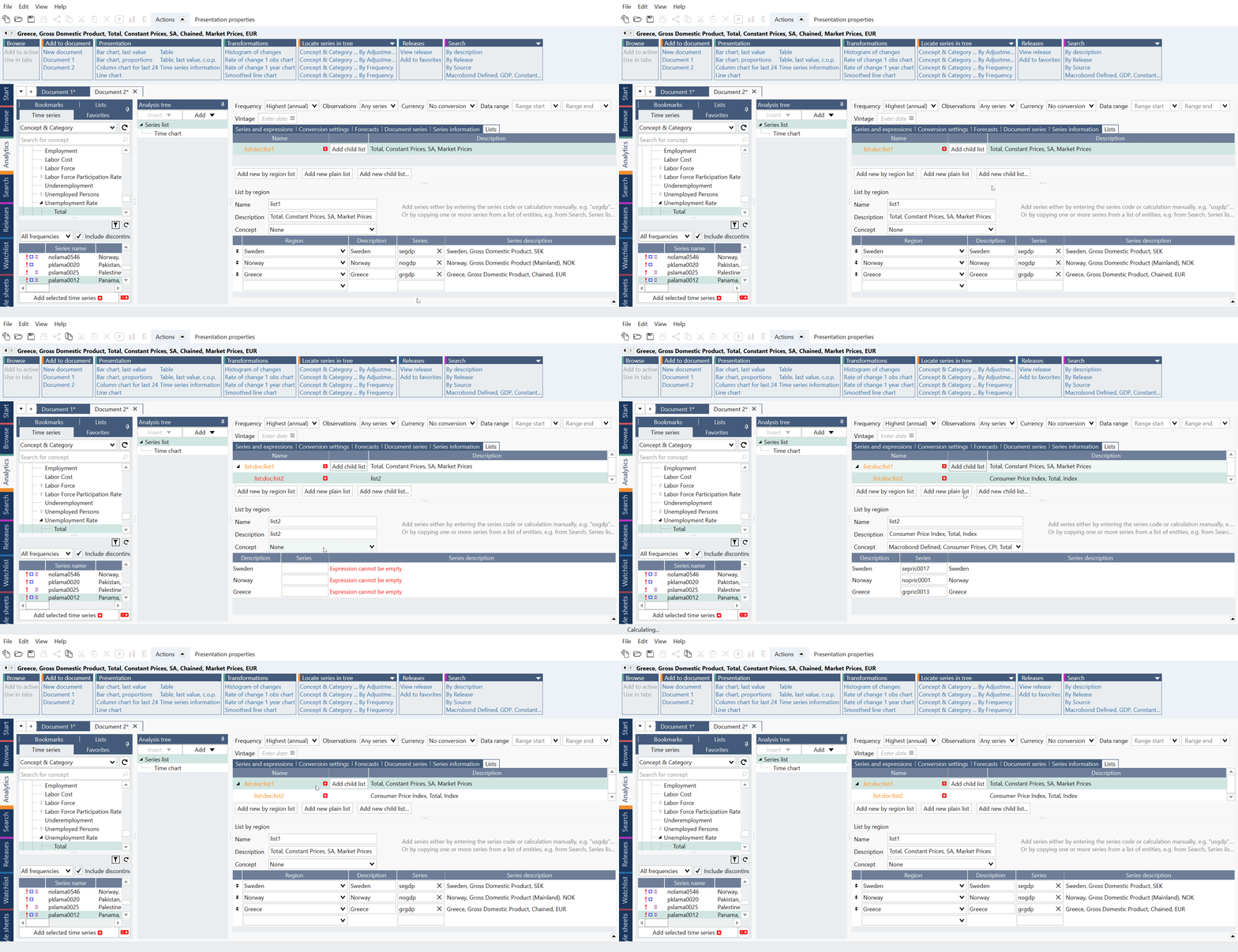
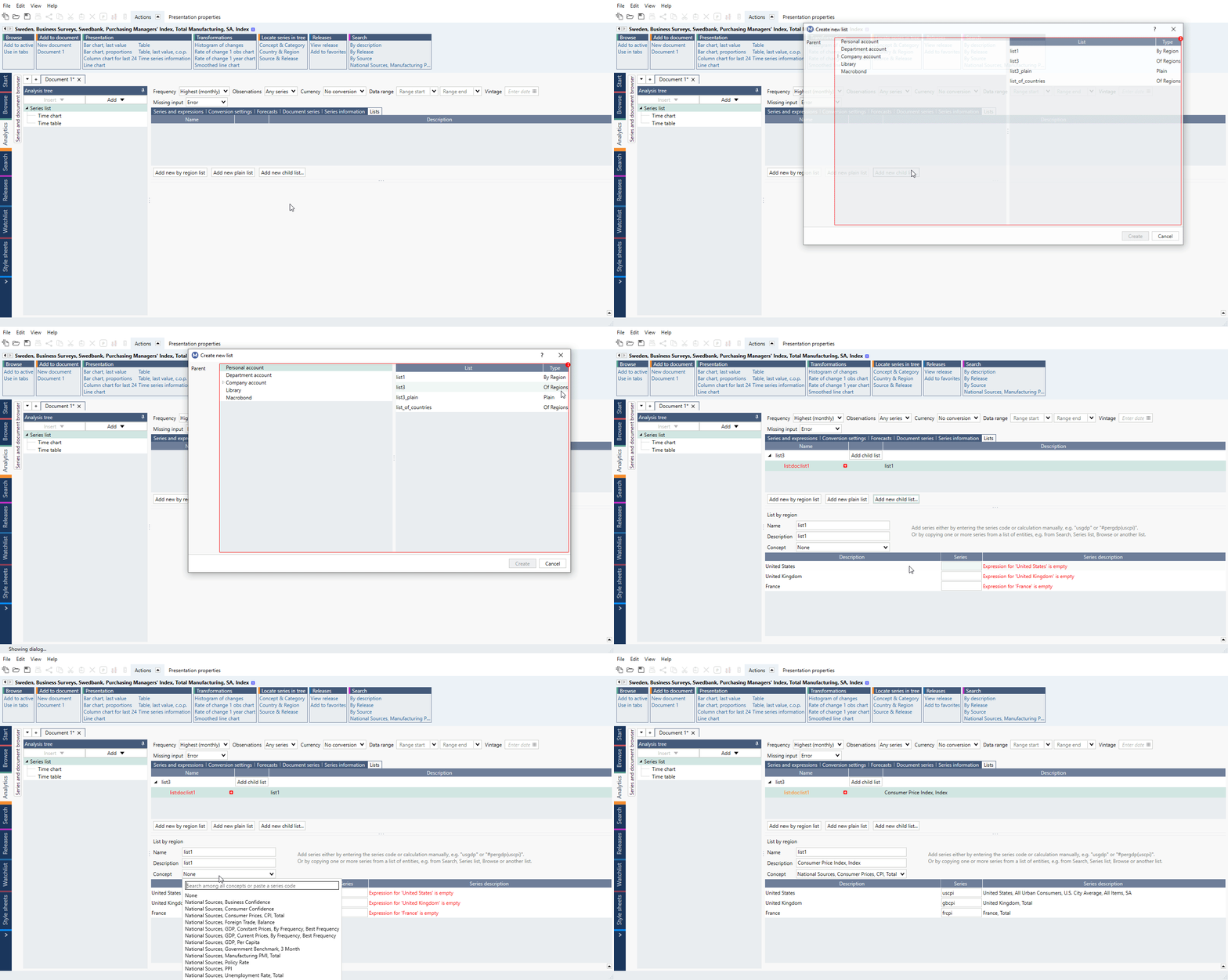
You can easily create lists with same regions, but other Concepts defined by Macrobond. This is done by creating a child list from a List by regions. If the parent list is changed, the child list will be automatically updated.
Plain list
A plain list is not restricted to have just one series per region. You can have any mix of series.
Plains' Child list
If you want to combine two plain lists - they must belong to the same family. You create a family of lists by adding child lists. A child list will have a corresponding set of series as the parent and in the same order.

The parent list and its children form a family and can be combined in formulas and in the Cross sampling analysis. The two series in the screenshot above can be used in an expression like
join(list:doc:index, list:doc:forecast)
List of regions
A list of unique regions (no series code is used here). It can be used to perform searches:
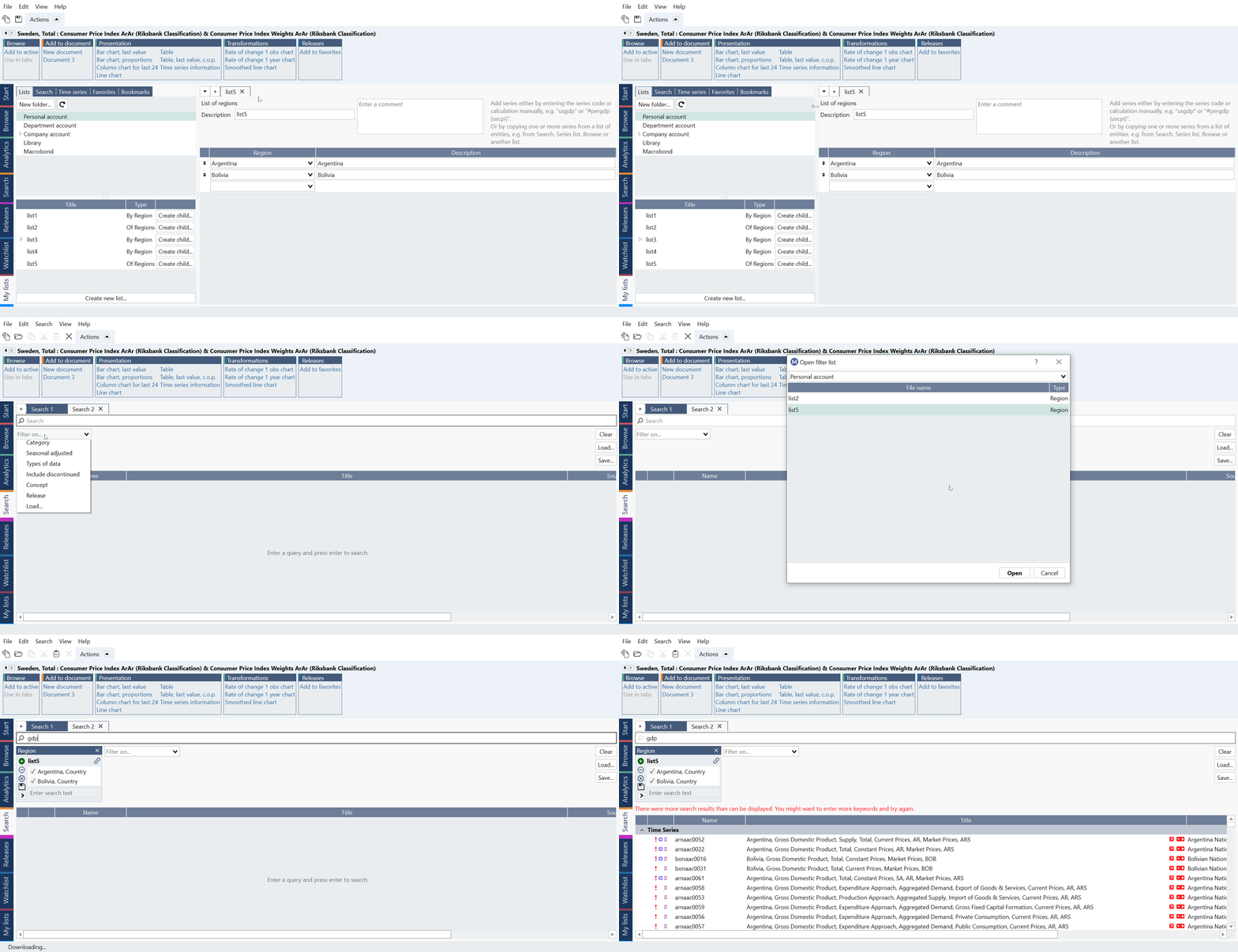
or as a parent list for 'by region' lists. It cannot be used on its own in Analytics tab's Series list - it will automatically add child list.
of Regions' Child list
Child list created under 'of regions' will be automatically a 'list by region' type.
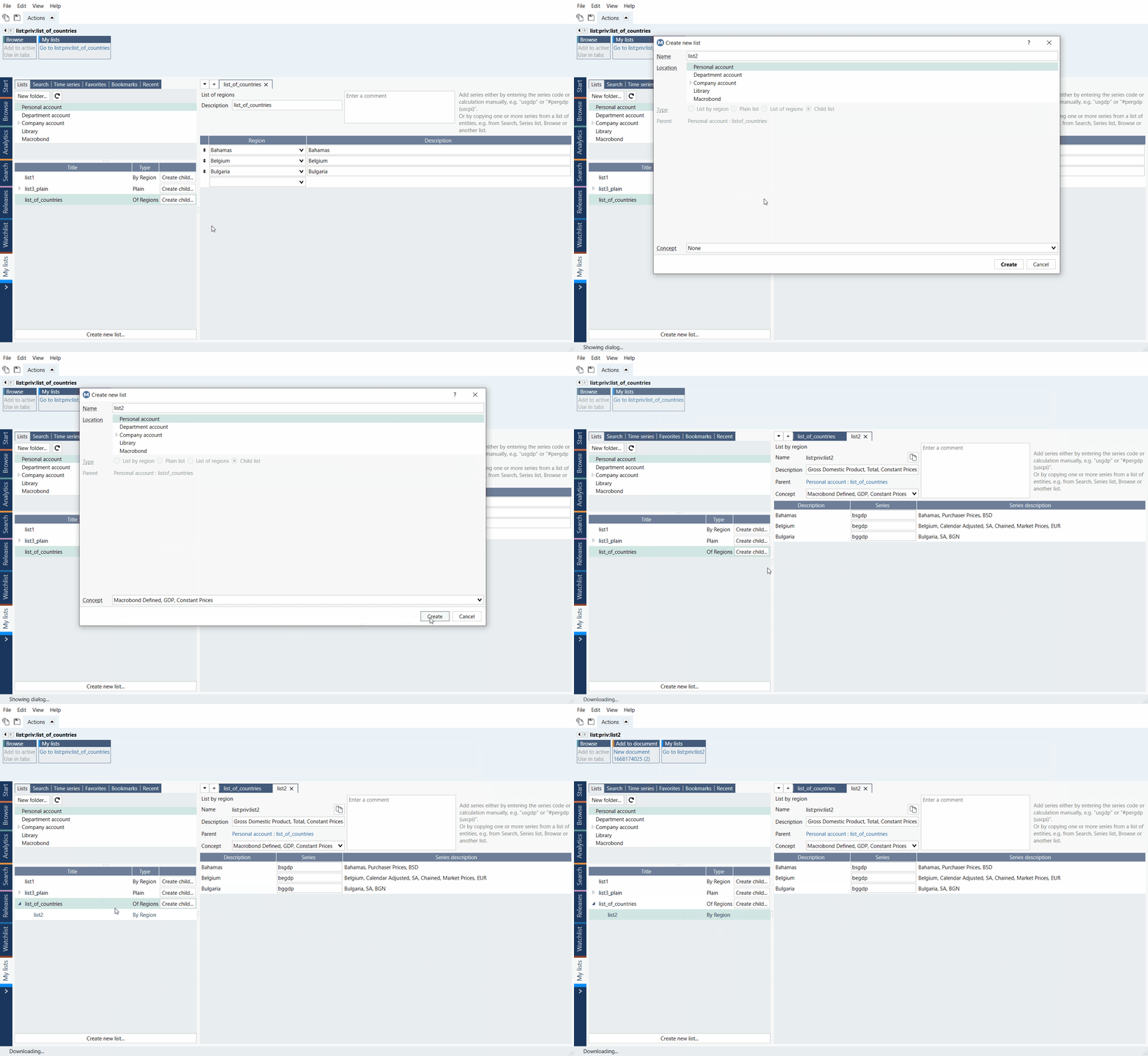
Creating list
from My lists tab
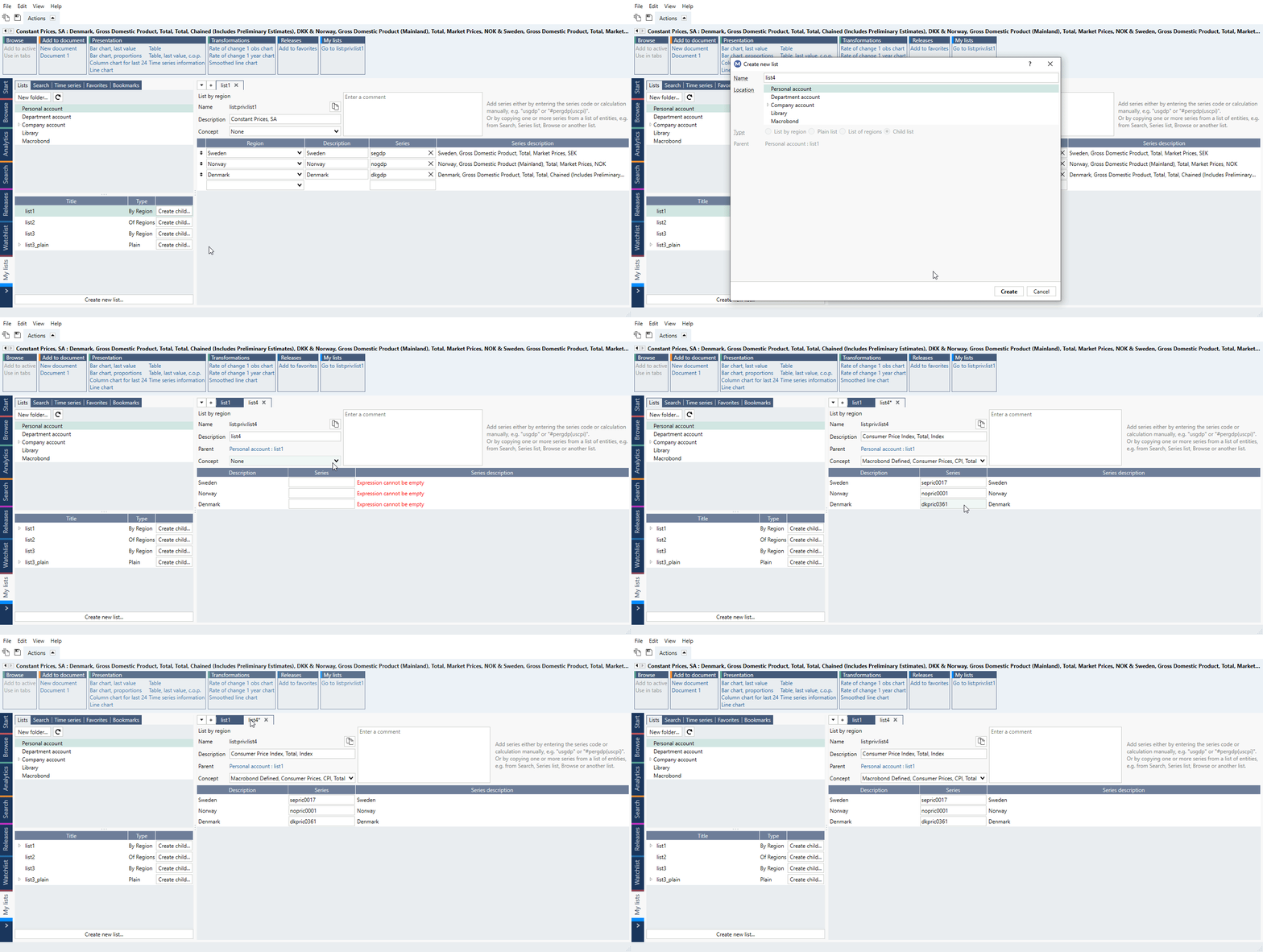
Go to My lists tab under last tab in Macrobond Analysis (it's a Flexi tab). Press Create new list or '+' sign, select location and type of list. In the new window, type in needed information. Your list is ready.
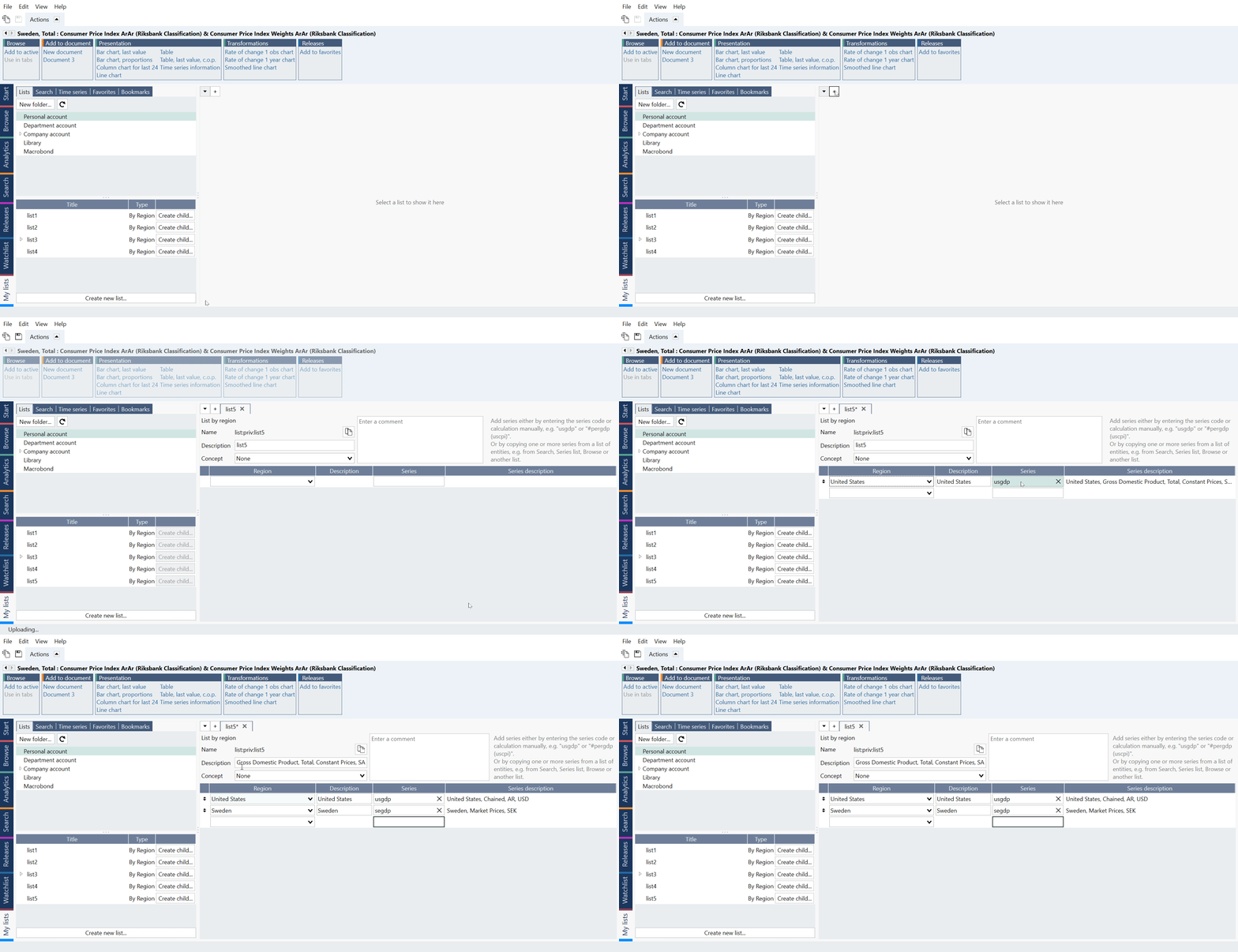
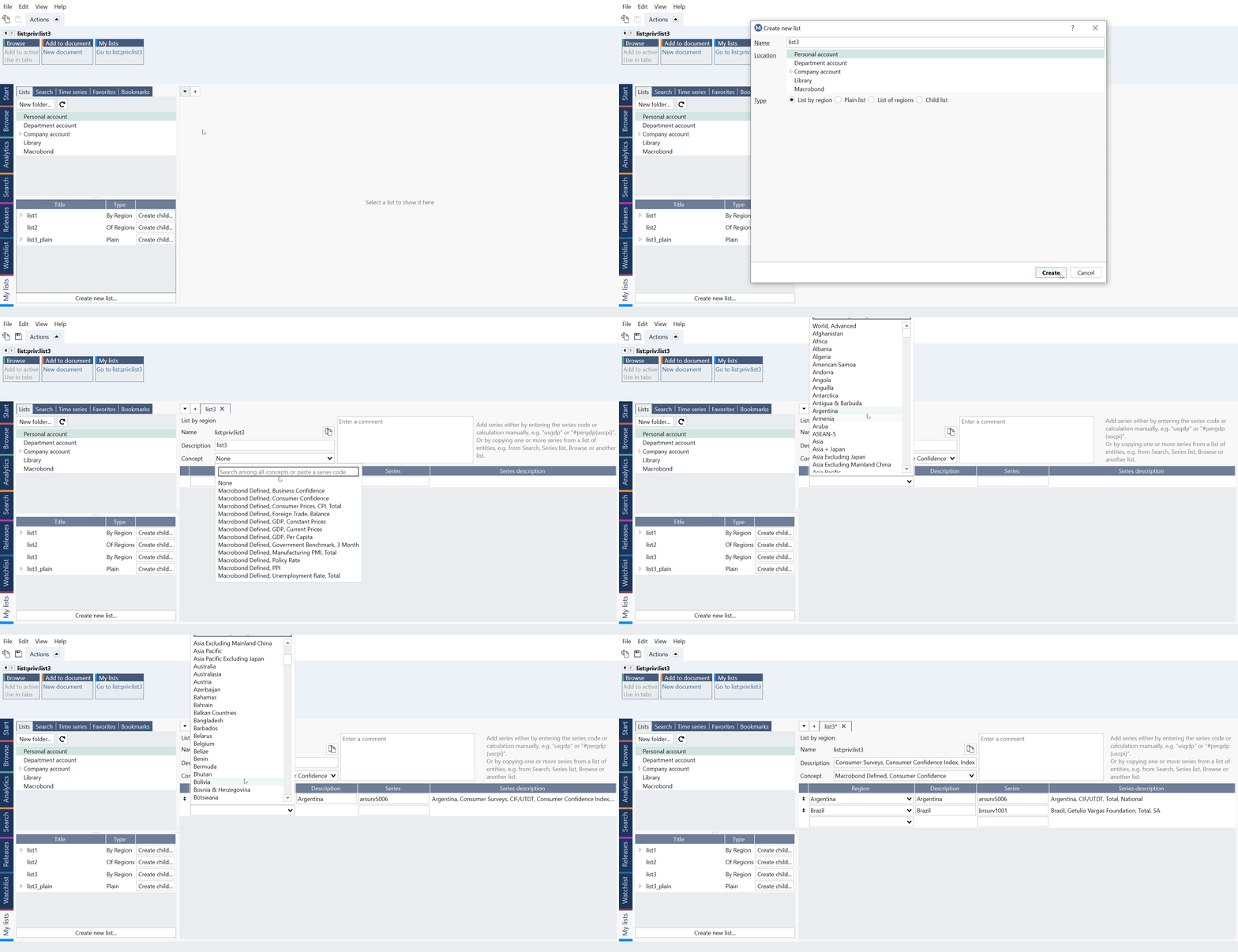
Region list
Use '+' button and select 'List by region'. In new list select Concept. After that start selecting countries/regions in Region column. Macrobond will display the right series based on the Concept group.
Child list
You can easily create lists with same regions but other Concepts defined by Macrobond. This is done by creating a child list from a List of regions or List by regions. If the parent list is changed, the child list will be automatically updated.
from Document lists tab (on Series list)
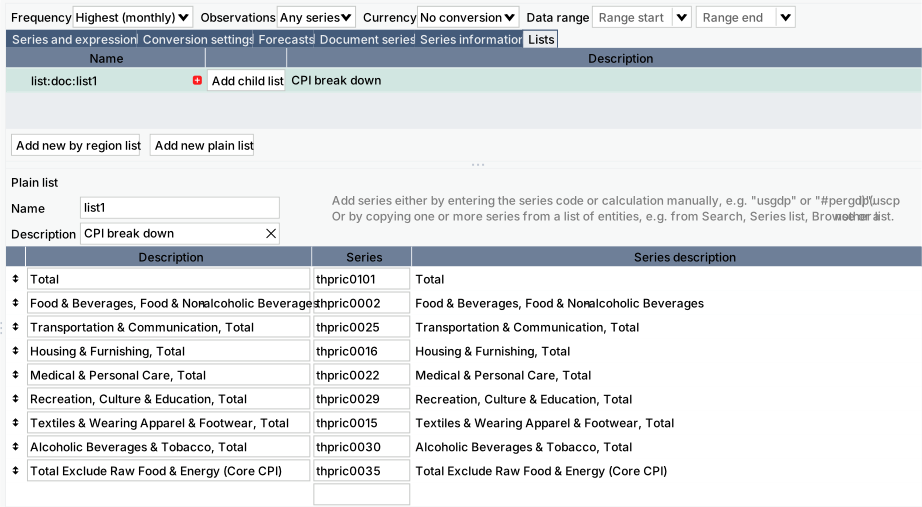
You might want to create list while working on a document. In such case Document lists tab might be useful. Note that you cannot create List of regions from here.
To create a list first please select a type (region/plain). The easiest way to add series to a list is to copy one or more series from the Data browser and paste it into the list.
My lists tab - managing lists
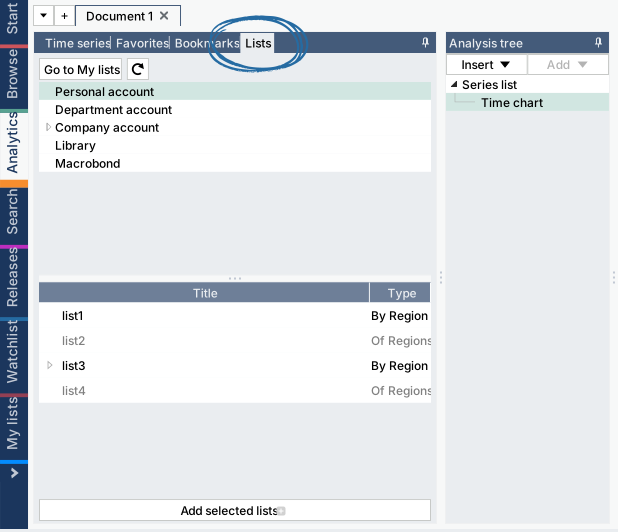
Just like there is My series tab for in-house series there is also a My lists tab. You can find under the last tab. Additionally, you can see all your lists under Analytics tab > Lists. You can save list just like in-house series - on Personal, Department or Company account - then use it in other documents and share it with your colleagues.
Moving list to an account
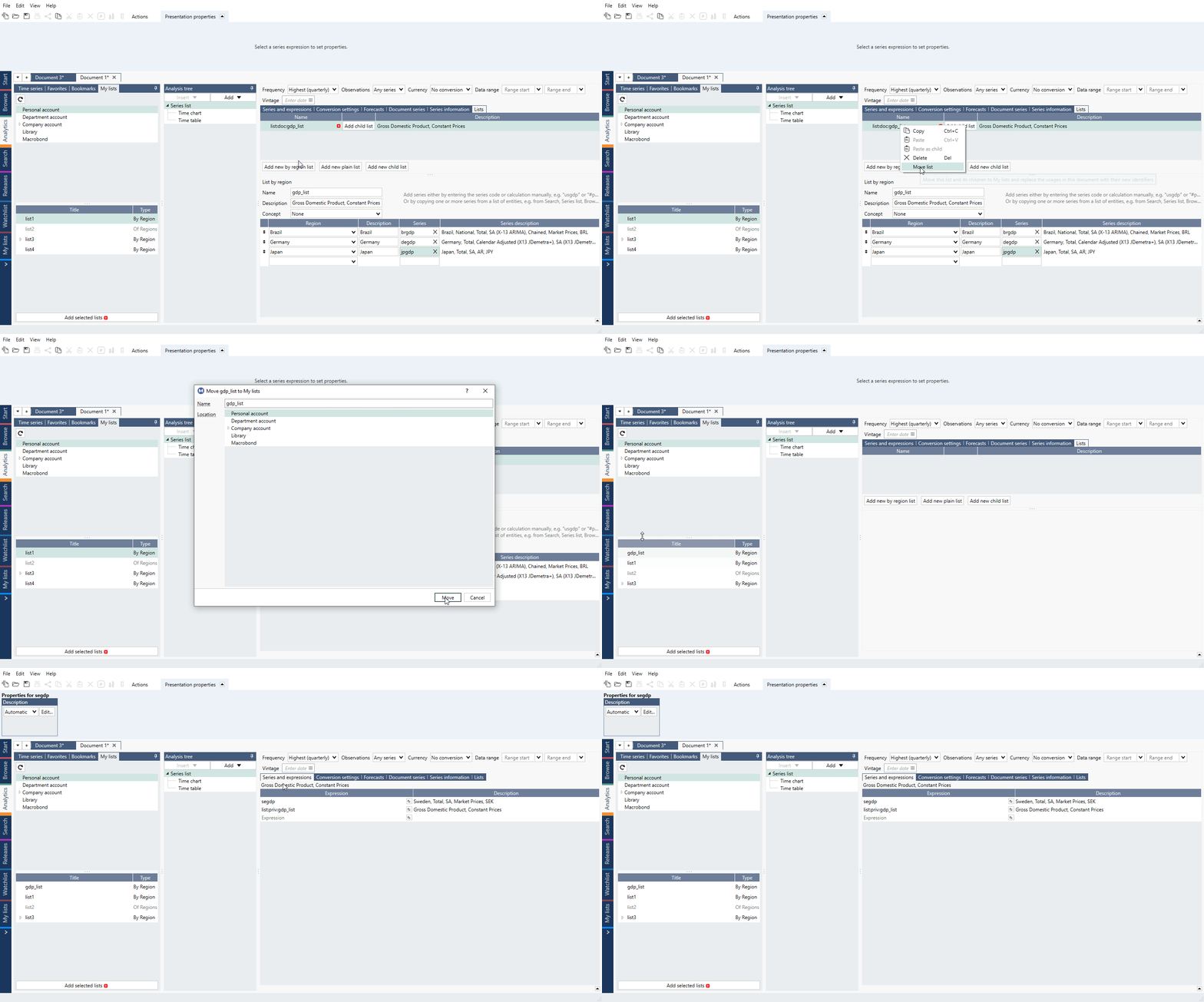
If you have created list on Series list then you can move it to an account to use it elsewhere or share it with your colleagues. Go to Document lists (previously Lists) tab, right-click on a list and select Move list. List will be removed from Document lists (previously Lists) tab, moved to a designated account, and added under Expression on Series list.
Editing list
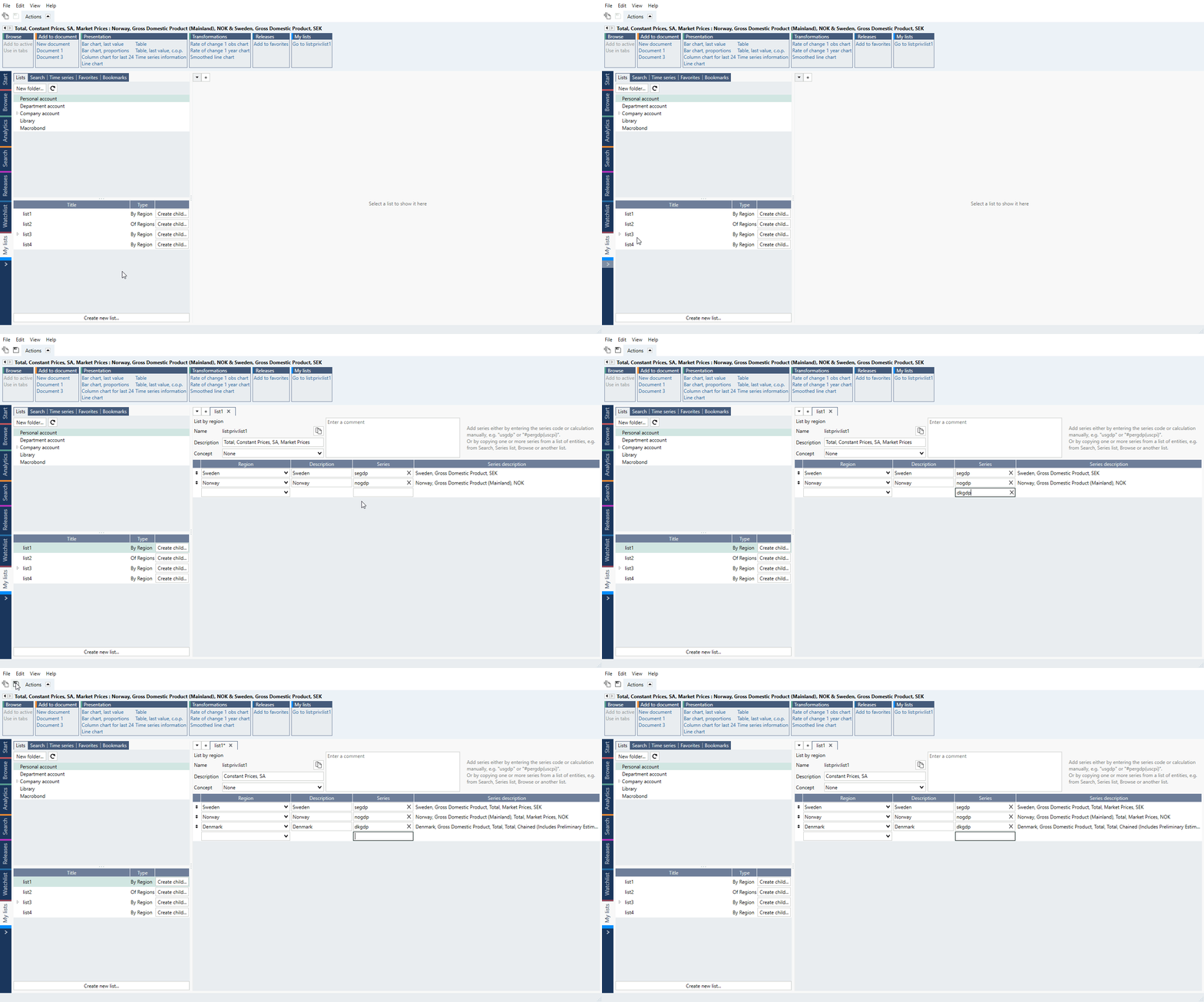
Go to My lists tab and double-click on a list. After applying changes save list with icon in upper menu.
Deleting list
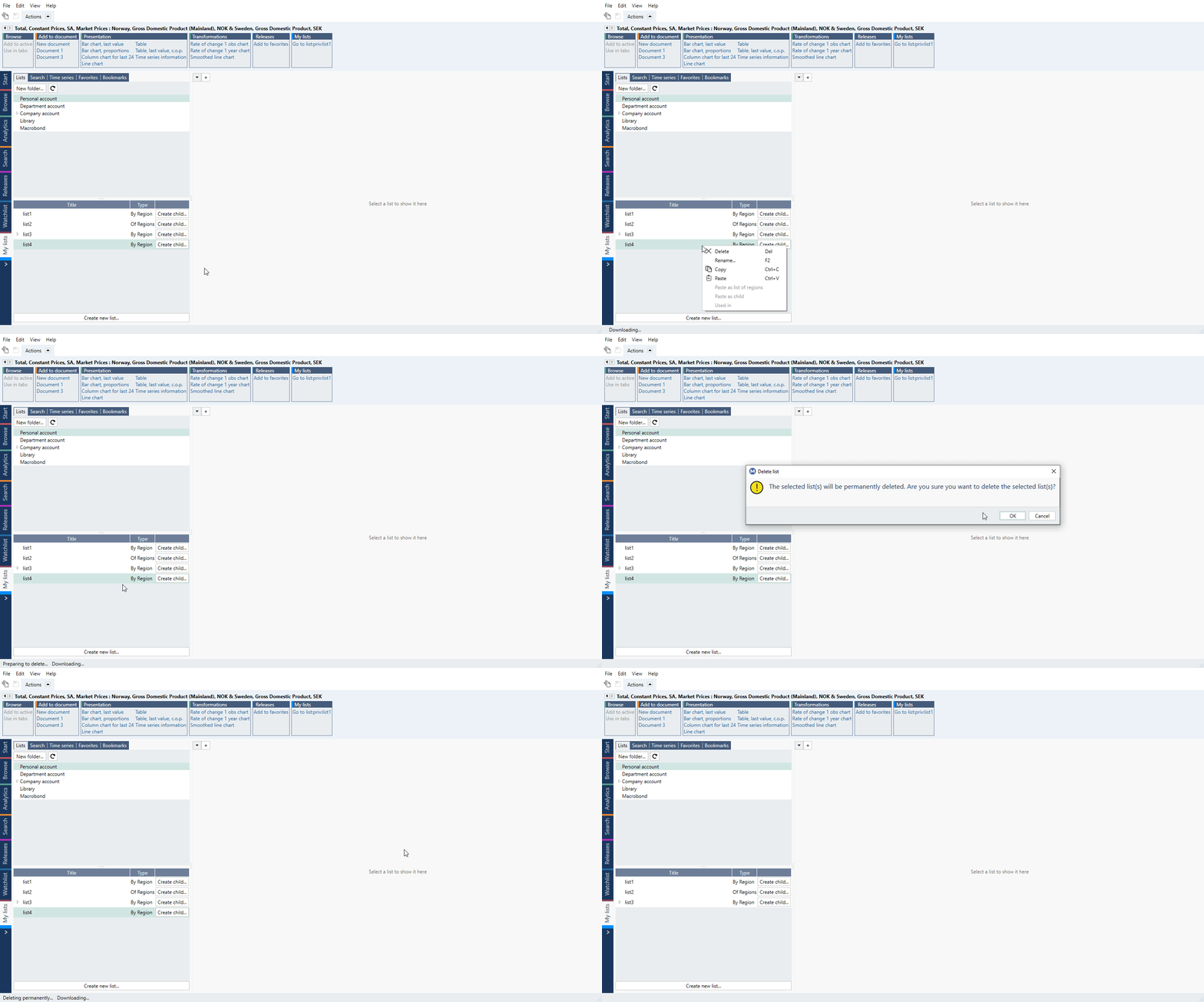
Go to My lists tab, right-click on a list and select Delete or press Delete key.
Working with lists
Adding list to a document
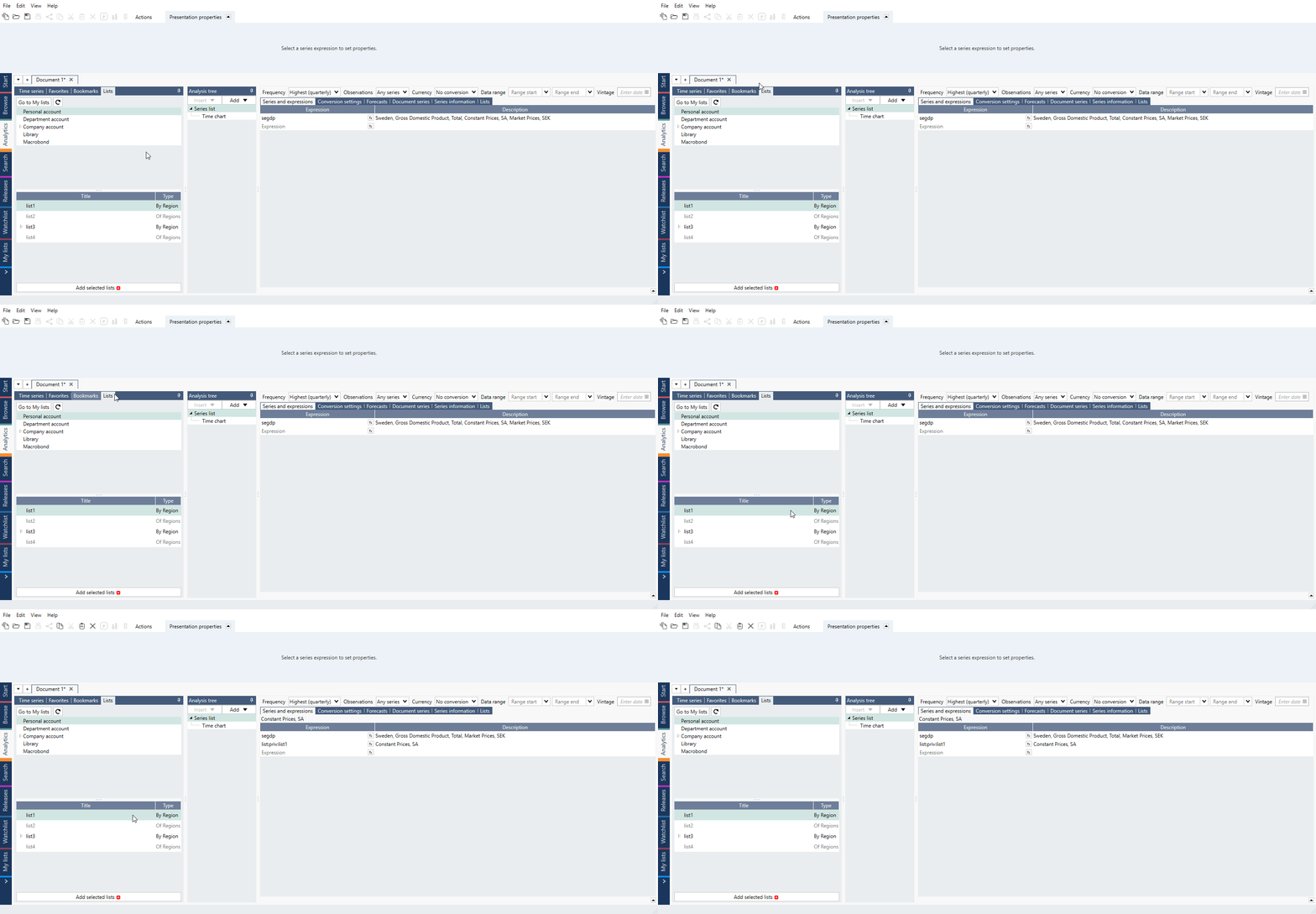
While in Analytics, open My lists panel, select list and press Add selected list or double-click on the list.
List on Series and expressions
Here are a few things you can do with a single list:
- You can use the name of a list in a formula expression and the calculation will be applied on all the series of the list. From the example in the screenshot, you can use the list called 'cpicomp' in a formula expression like this:
cop(list:doc:cpicomp,1)
Not only is this easier to write and gives you better overview, but it also works nicely if you add more series to your list.
- You can change the order of the series in a list, and it will be retained and will not break any calculations.
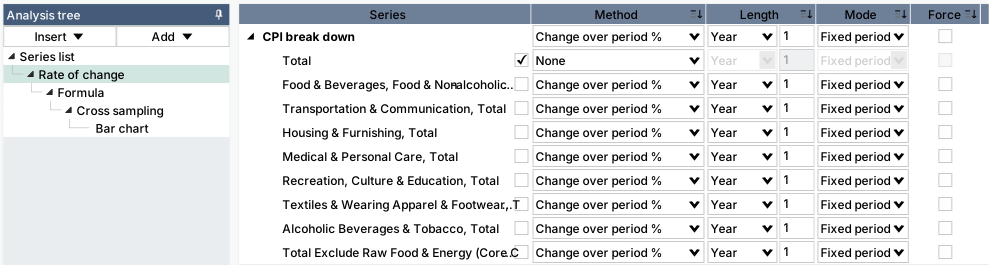
- In most analyses, like Rate of change, you can set parameters for the whole list.

- In most analyses, you can make exceptions on series level:
Combining lists
Lists can also be combined. This works in formulas and in the new Cross sampling analysis.
Combining lists works if either the lists have a relationship (parent/child lists) or if they are organized by region using the type of list called 'list by region'.
Here is an example where several 'lists by region' have been created:
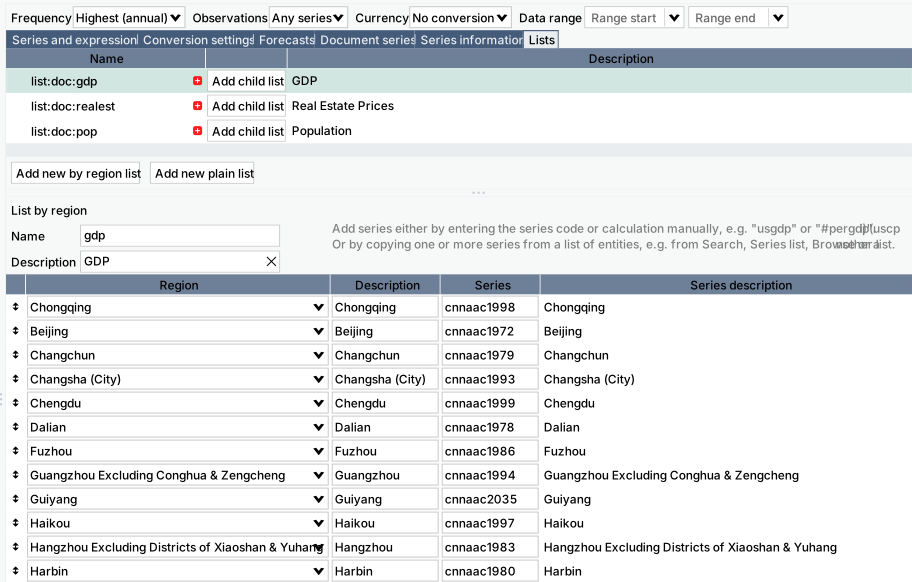
You can then use a formula expression like
list:doc:gdp/list:doc:pop
The calculation will be applied pairwise to the series in the lists and the result is a new list.
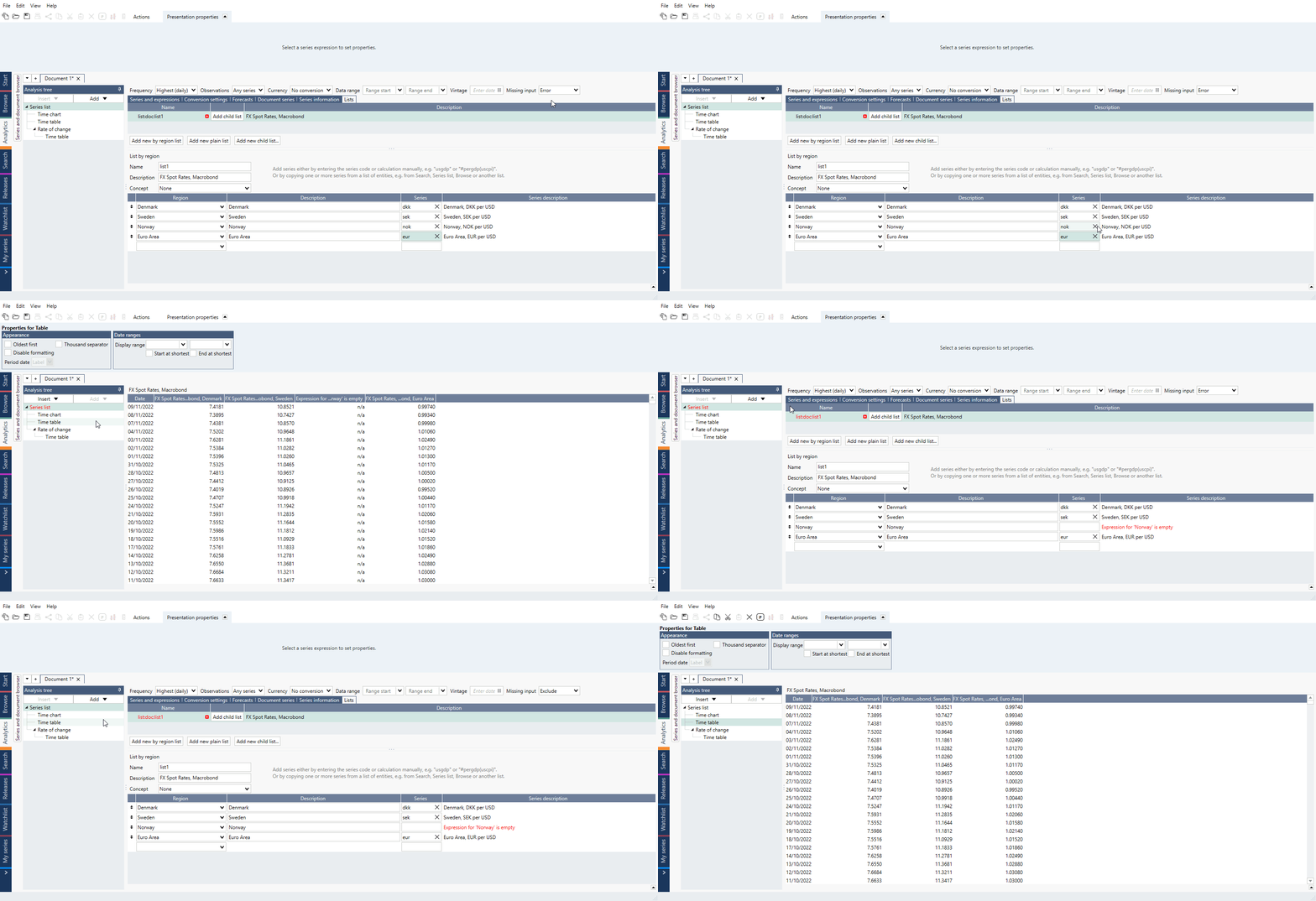
Missing input
You can choose how Macrobond should treat missing series in lists:
- Error - missing series in lists are treated as error.
- Exclude - missing series in lists are excluded from output.