This feature is available in Macrobond Analysis 1.35 and later.
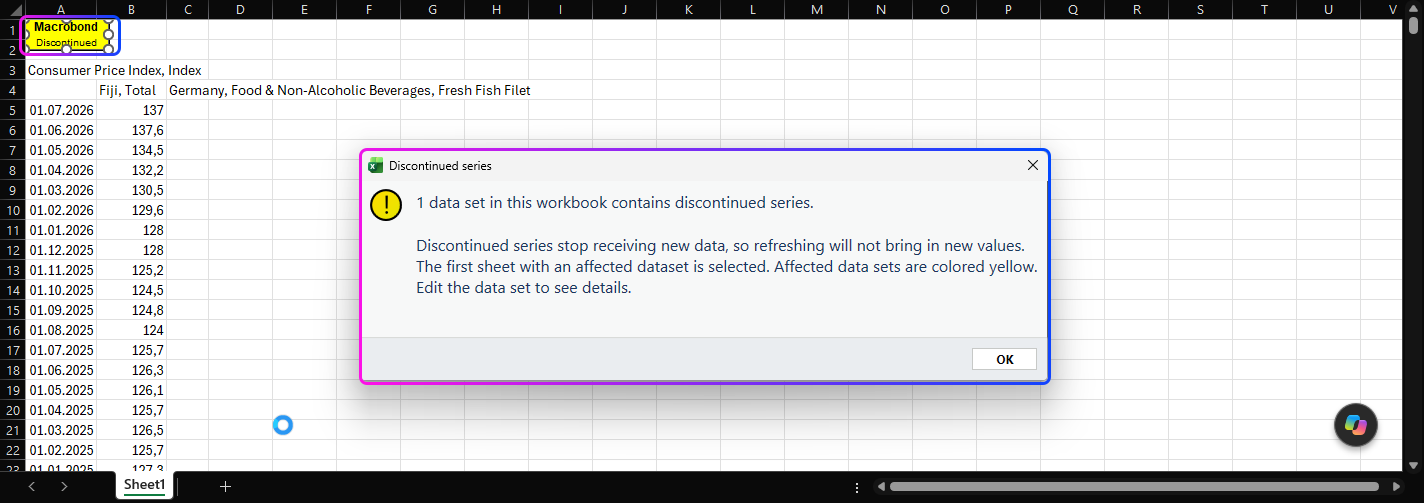
Since version 1.35 Macrobond will let you know if in your data set object or chart any series was discontinued. You can also check the document at any time by clicking the 'Check for discontinued series' button.

Excel
If a data set object contains a discontinued series, the object turns yellow and shows 'Discontinued' information
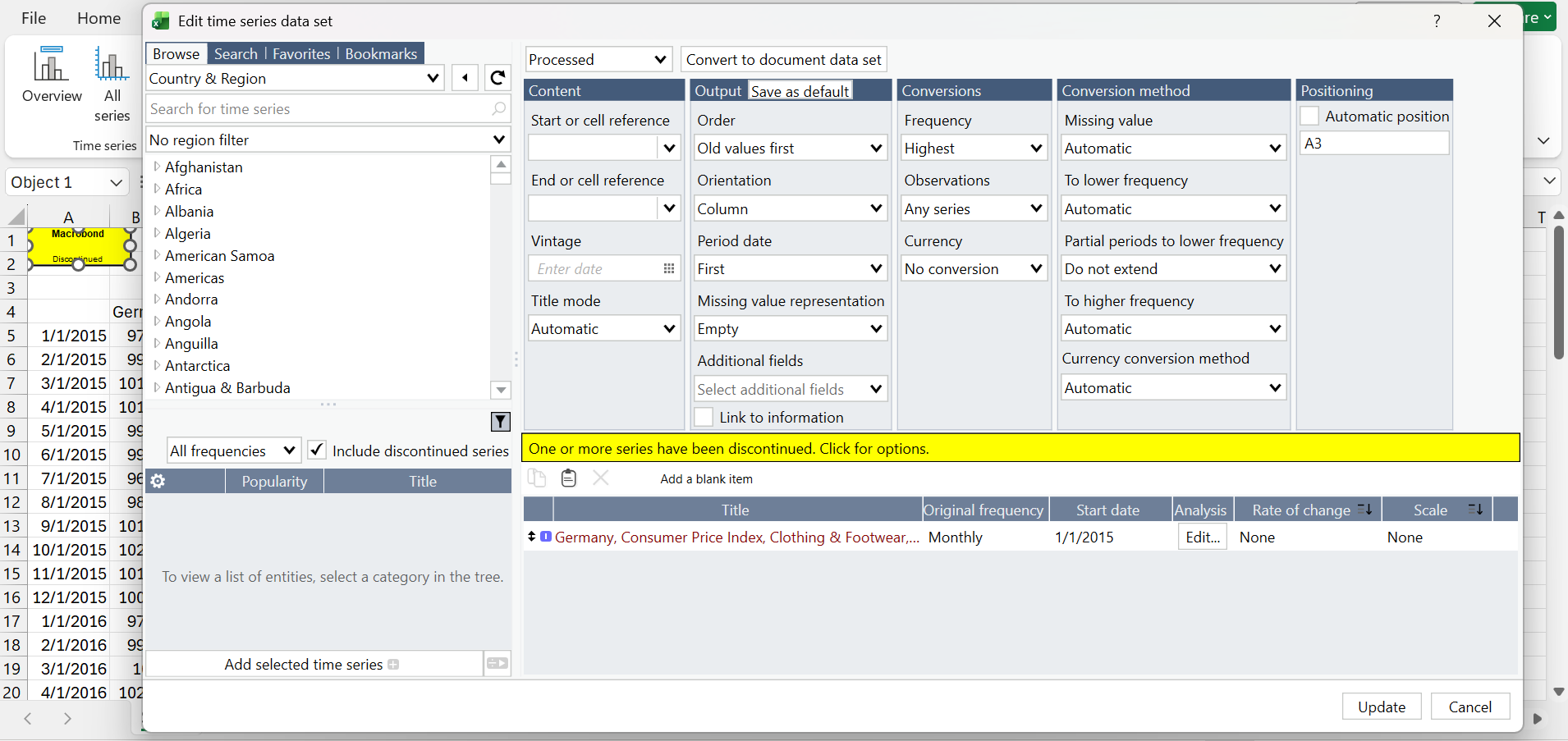
After you edit the object, you will see the yellow bar. Click on it and a new window opens.
It shows why the series was discontinued (if the source provided that information) and a possible replacement. From here, you can select replacements. Sometimes a discontinued series has more than one replacement, for example when a new methodology splits the series. You can select several in the replace dialog. All the selected series are then appended at the end of the series list, while the original series is not replaced.
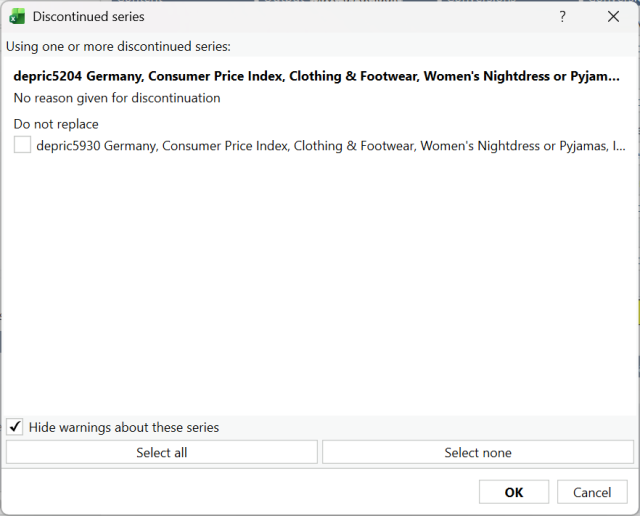
By design, the 'Hide warnings about these series in this document' option is ticked. If you close the yellow bar, it won't appear again in this document.
Word / Power Point
If the chart contains a discontinued series, you will see the yellow banner with 'Discontinued series. Double-click to edit' information.
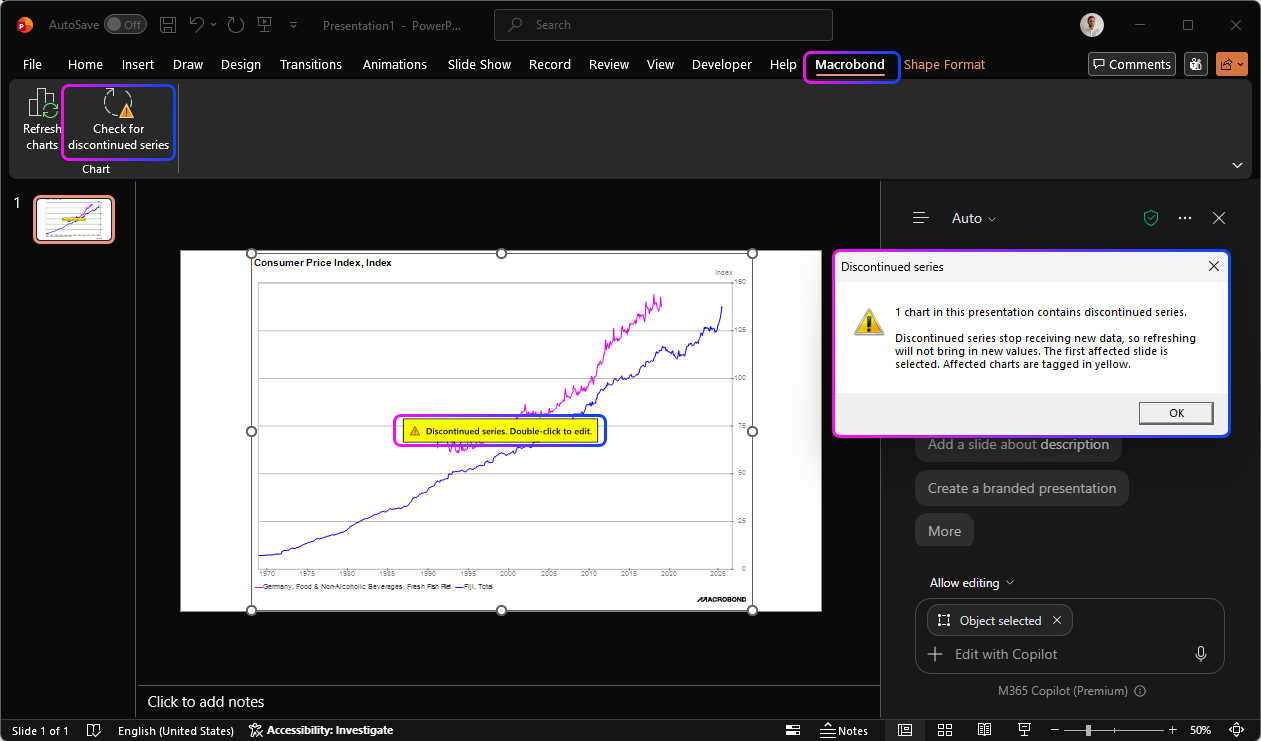
After you edit the object, you will be redirected to Macrobond Analysis where above the document you will see the yellow bar. Click on it and a new window opens. It shows why the series was discontinued (if the source provided that information) and a possible replacement. All the selected series are then appended at the end of the series list, while the original series is not replaced.
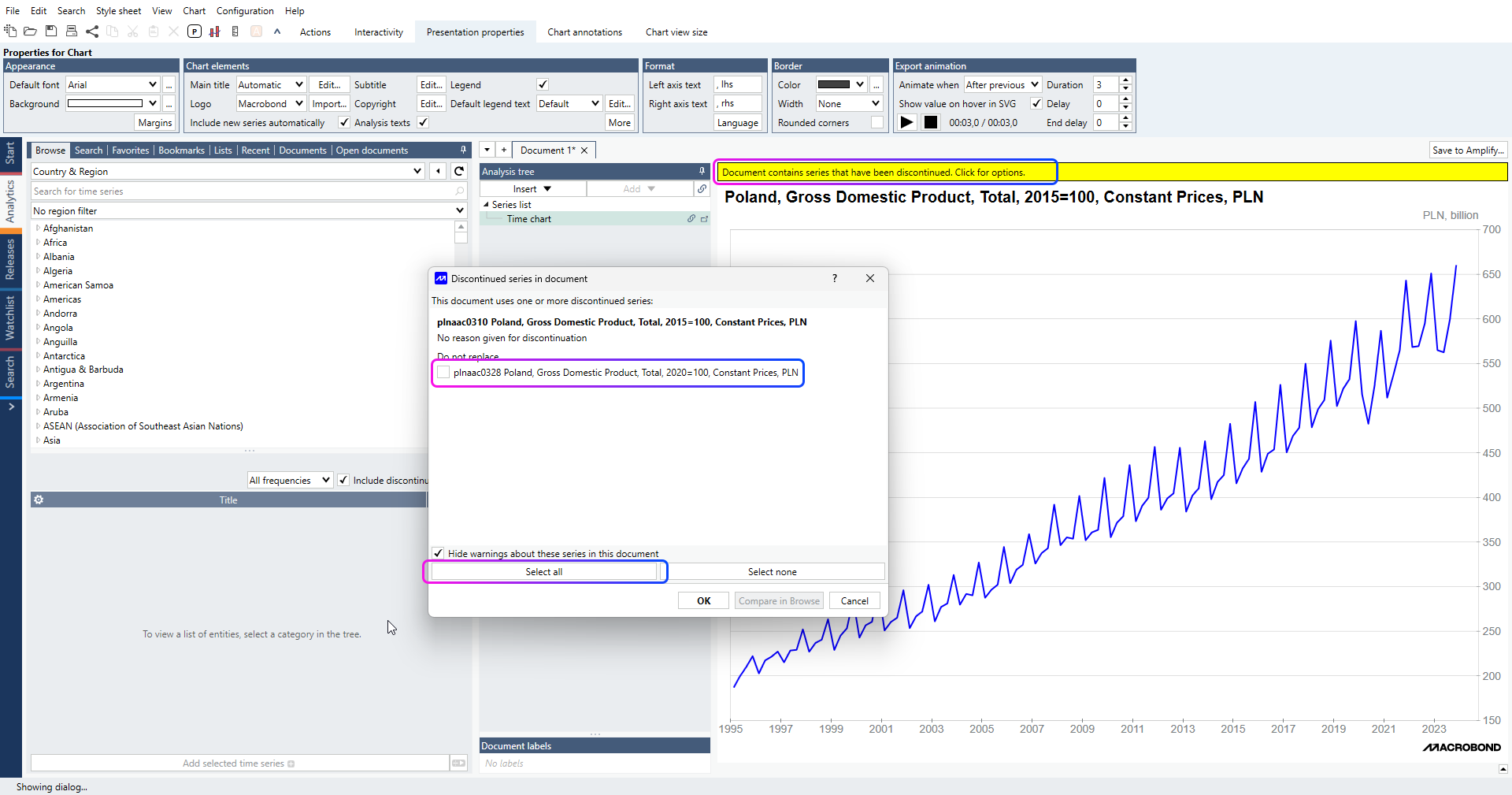
By design, the 'Hide warnings about these series in this document' option is ticked. If you close the yellow bar, it won't appear again in this document.