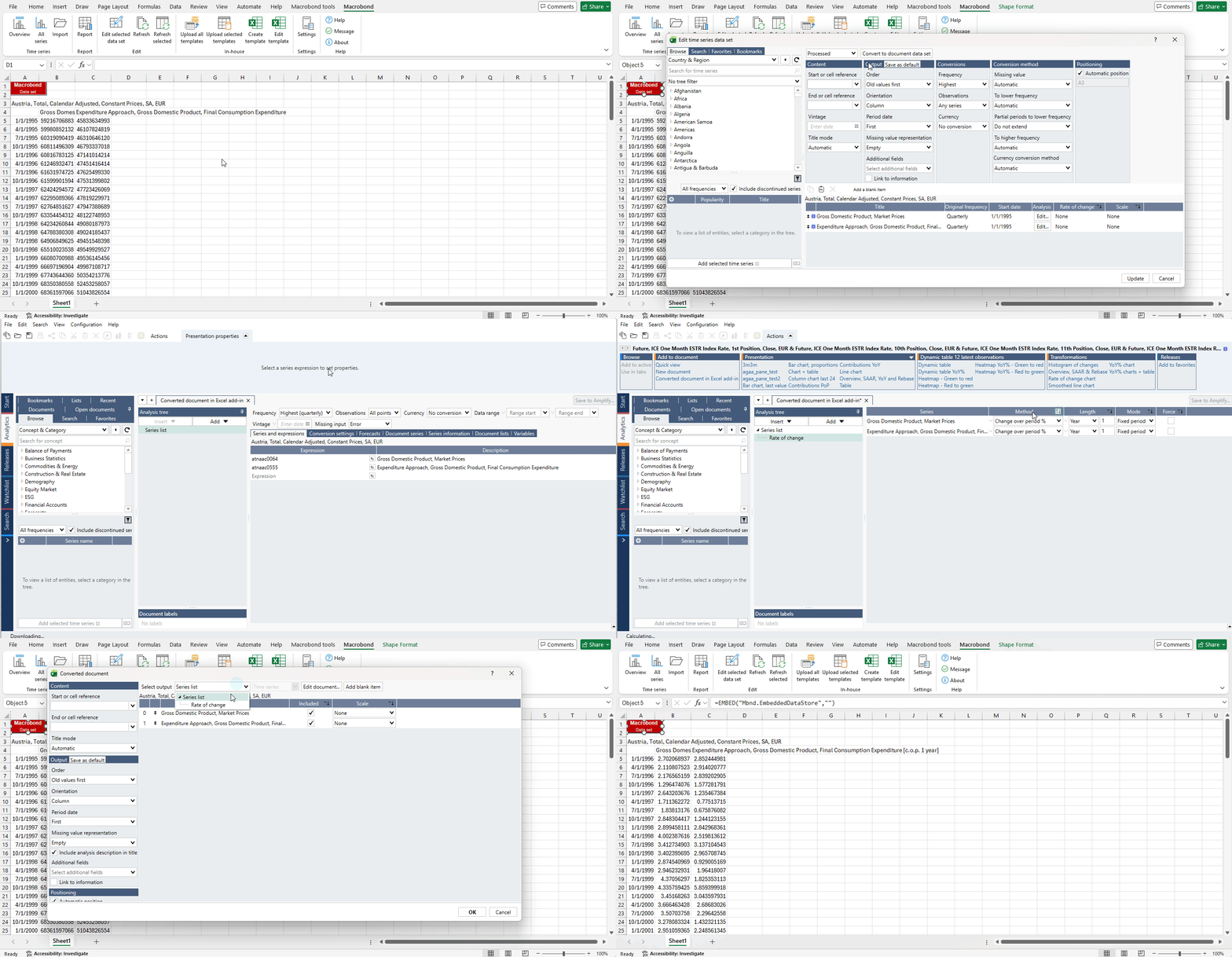
All series mode is the main access point for downloading data into Excel. It gives you access to your entire application database and provides various options for downloading the data in a specific format.

Purpose
Use it to:
- Search through all the time series available from the application database.
- Select the data you want to work with.
- Apply settings that modify the series before downloading the data to an Excel document.
- Verify the selected time series and metadata in the download list, before adding to the excel sheet.
Have a look at the follow up materials to find out how to use the settings you’ll encounter when downloading data in All series mode.
The All series workspace
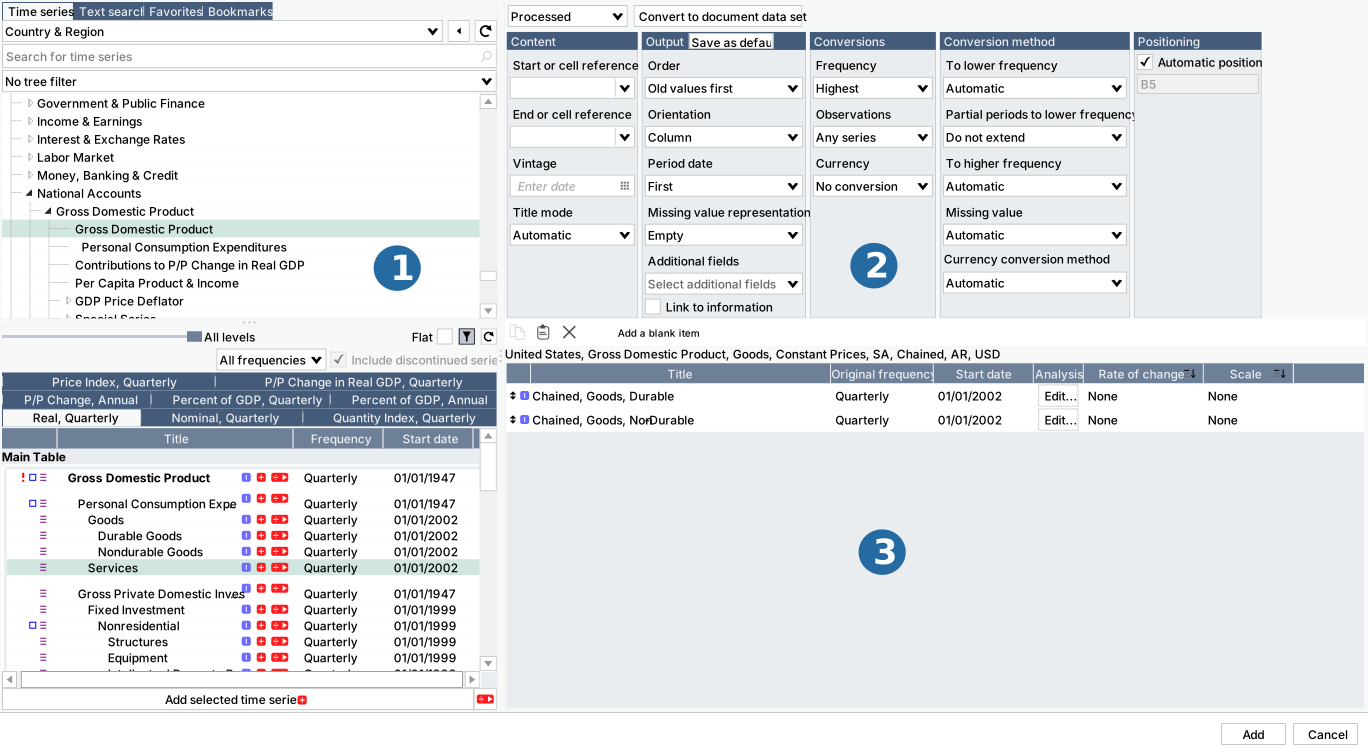
- Series browser
- Download settings
- Data download list
Convert to document data set
Red objects created through Excel > All series have limited data transformation functionalities available. You can convert red object type to the one created from Macrobond Analysis to have access to all analyses and functionalities. To do this edit red object, click on 'Convert to document data set' button and then press 'Edit document' to open the red object in Macrobond Analysis.